

Creating a flyer used to mean hiring a designer, waiting days for drafts, and going back and forth on edits just to get a simple promotion ready. Today, flyer generators have completely changed that. With just a few clicks, you can now build professional-looking flyers for events, businesses, sales, and announcements without any design experience.
But here’s the real challenge. There are so many flyer generators available that they all start to look the same at first glance. Some focus on speed and templates, others offer deeper customization, and a few aim to combine everything into a single platform.
So how do you know which one is actually worth using?
In this article, we compare the most popular flyer generators based on features, pricing, and real-world performance, so you can choose the right tool for your needs without wasting time testing them all yourself.
Quick Verdict
After testing and comparing several flyer generators, Design.com comes out on top as the best overall option. It consistently delivers the strongest balance of ease of use, design quality, customization, and speed. Whether you’re creating promotional flyers, event posters, or business announcements, it produces polished results without requiring any design experience.
What stood out most is how complete the platform feels. Instead of just offering templates, it combines smart design tools, branding features, and export options in one place, making it suitable for both beginners and growing businesses.
How We Compared These Tools
To make a fair comparison, we tested each flyer generator using the same types of projects, including event flyers, business promotions, and social media-ready designs. We focused on real-world use rather than just feature lists to see how each tool performs in practice.
Ease of Use
We looked at how simple each platform is for beginners. This includes how quickly you can start a design, how intuitive the interface feels, and whether you need any prior design experience to get good results.
Template Quality and Variety
We tested how strong and diverse the flyer templates are across different industries. This includes design quality, modernity, and how easy it is to find templates that actually fit real business needs.
Customization Options
We explored how much control users have over editing. This includes changing layouts, fonts, colors, images, and whether the platform allows meaningful personalization beyond basic edits.
Speed of Design Creation
We measured how quickly a finished flyer can be created from start to export. Some tools are built for instant results, while others require more manual adjustment.
Branding and Consistency Features
We checked whether the tools support brand consistency, such as saving colors, logos, and fonts for repeated use across multiple flyers and campaigns.
Export and Output Quality
We also reviewed the final output quality, including file formats, resolution, and whether the designs are suitable for both digital use and print materials without loss of quality.
Which Flyer Generator Should You Actually Use?
Not every flyer generator is built for the same type of user or workflow. Based on our testing, here’s a simple breakdown to help you choose the right one depending on your needs:
- For business branding – Design.com: Best if you care about professional-looking flyers, brand consistency, and scalable design tools. e across campaigns.
- For fast template-based flyer creation – BrandCrowd: Best if you want to get a flyer done quickly using ready-made templates without spending too much time on design decisions.
Best Flyer Generators To Check Out
Now that we’ve tested and compared the leading flyer creation tools, it’s time to look at the ones that actually stand out in real use. We’ll break down the best flyer generators you can use right now, so you can quickly see which tool fits your needs.
#1 Design.com
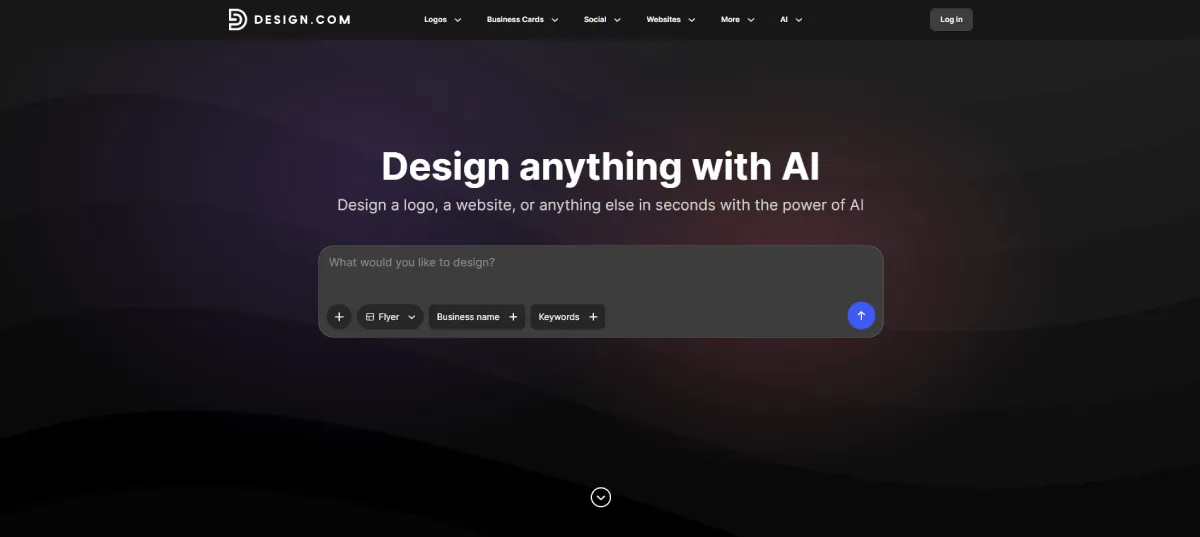
Rating: 10/10
Best for: Businesses, marketers, and creators who want fast, high-quality flyers with AI-powered customization and full branding control.
Design.com stands out as a complete AI flyer generator built for speed, flexibility, and professional-quality output. We tested it across use cases such as event promotions, business announcements, and marketing campaigns, and it consistently produced polished, ready-to-use designs in seconds.
What impressed us most was how quickly we could go from idea to a finished, print-ready flyer without feeling limited at any stage. Instead of just choosing a design, we were actively shaping it through edits, variations, and automated brand styling. It feels less like a template tool and more like a full design system.
Across multiple flyer tests (event promos, business announcements, and marketing ads), Design.com consistently produced the most polished results with the least effort.
Key Features
AI-Powered Flyer Generation
We started by entering basic business details, and within seconds, Design.com generated multiple flyer variations. What stood out was not just speed, but variety. The designs didn’t feel repetitive or template-driven.
Each output had a different layout structure, typography choices, and visual direction, making it easier to explore creative angles without starting from scratch.
Huge Template Library
Beyond AI generation, we also explored the template library. It covers a wide range of industries, including retail, events, fitness, restaurants, and corporate promotions.
Compared to other tools like Canva or BrandCrowd, the templates here felt more aligned with “ready-to-use marketing assets” rather than general design starting points.
Advanced Customization Tools
We tested editing across multiple flyers, and the customization felt more intentional than other tools.
Instead of just moving elements around, we could:
- Adjust full layout structures
- Rebalance spacing automatically
- Change typography systems consistently
- Apply brand styling across multiple elements
This made it easier to maintain design quality even after heavy edits.
Branding System That Keeps Everything Consistent
One of the biggest differences we noticed is how Design.com handles branding.
Once a logo and color palette are set, the flyer automatically adapts styles to match. This reduces the need for manual adjustments and maintains visual consistency across multiple designs.
Print-Ready Output + Real-World Use
We also tested export quality, and the results were consistently print-ready without additional editing.
Flyers can be downloaded in:
- High-resolution PNG/JPG for digital use
- Vector formats (SVG, EPS, PDF) for professional printing
We also tested print integration, which makes it easy to go from design to physical flyers without switching tools.
Pros & Cons
Pros
- Extremely fast AI flyer generation
- High-quality, professional-looking templates
- Strong customization options
- Print and digital formats included
- Full branding ecosystem beyond flyers
Cons
- Web-based only
Pricing
- Free plan: Free flyer creation and download options, pay only for printing or premium features
- Premium plan: Around $7/month (billed annually) – includes full AI flyer generator access, editing tools, and 50+ design tools
- Premium + Website plan: Around $12/month (billed annually) – includes everything in Premium plus website builder and expanded branding tools
See Design.com’s flyer generator here:
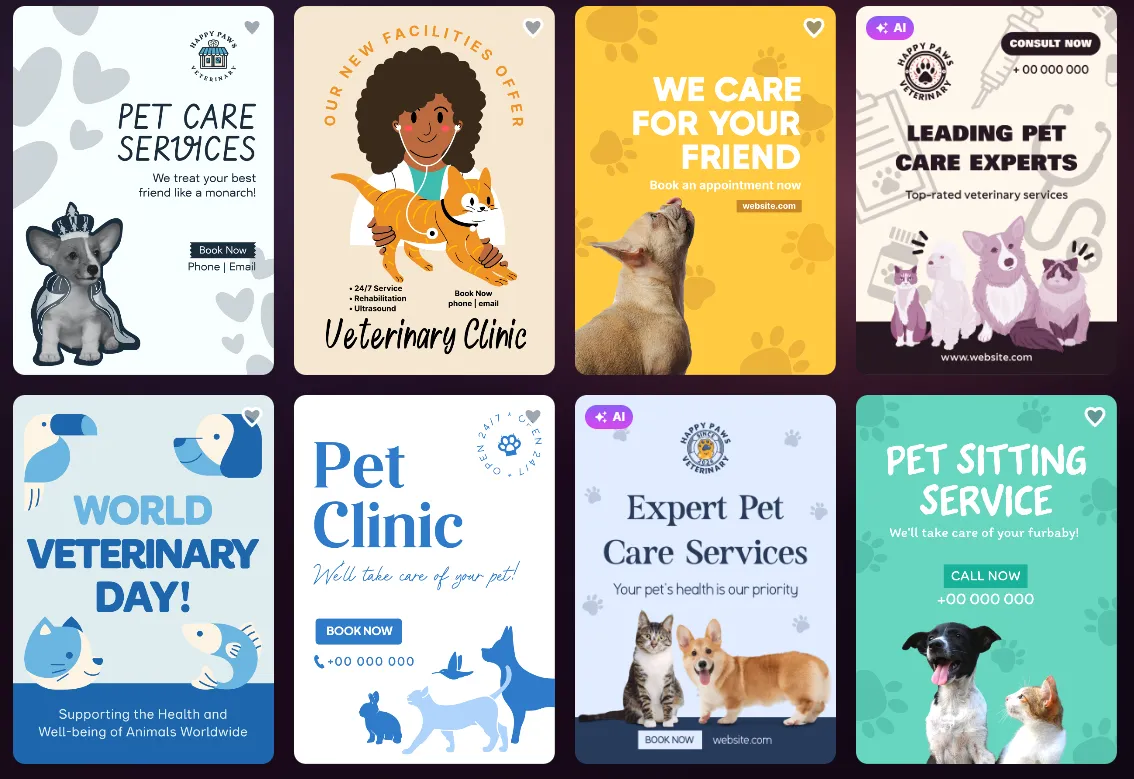
You can choose from hundreds of customizable flyer designs and start customizing them.

After choosing a design, we tested what the tools can do. Here, you can change the colors of your flyer – from the background to the text colors!
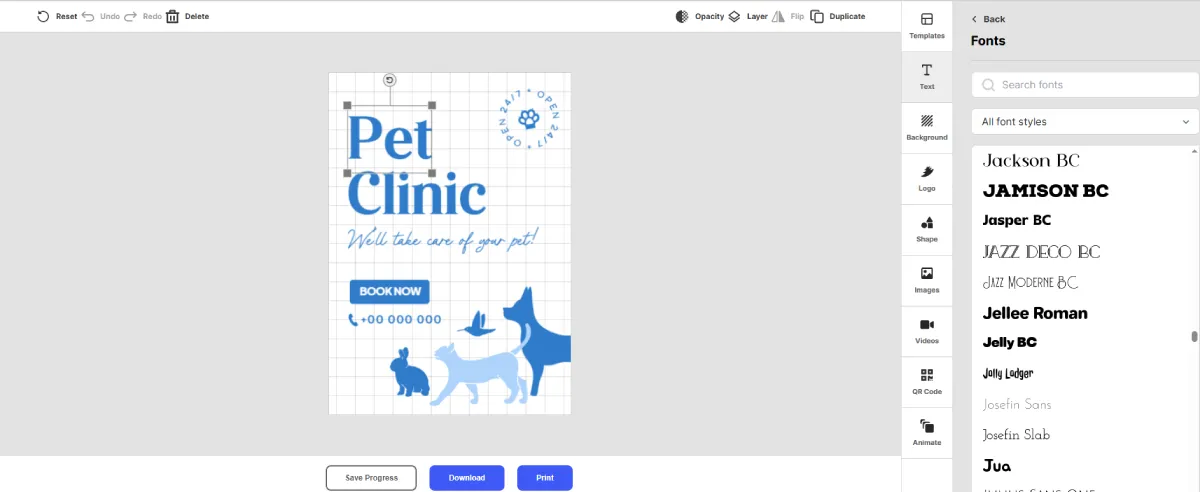
You can also choose from over 750 fonts and find the one that best fits your flyer design and brand messaging.
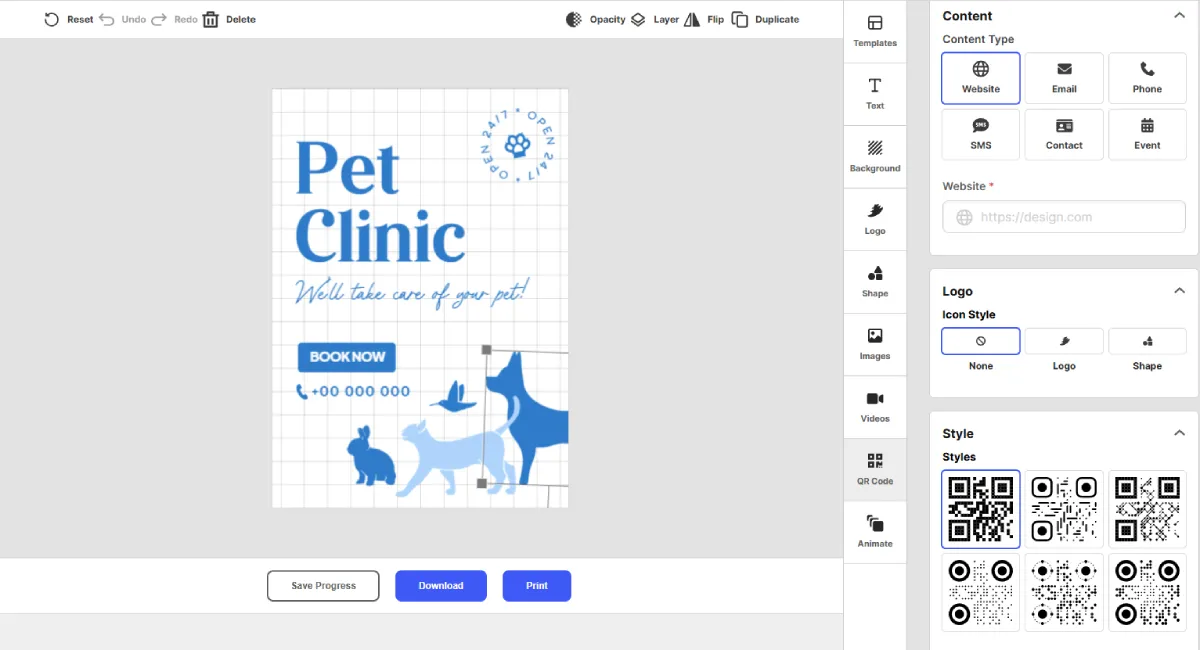
And our personal favorite feature: you can add content types such as your website, email address, phone number, etc. Plus, you can even add your QR code for quick scans.
#2 BrandCrowd

Rating: 9.8/10
Best for: Small businesses, entrepreneurs, and creators who want fast, editable, and professional-looking flyers without starting from scratch.
BrandCrowd’s flyer maker is built for speed and simplicity. When we tested it, the platform made it easy to go from idea to finished flyer in just a few minutes. It focuses heavily on templates, so instead of designing from a blank canvas, you start with professionally made layouts and customize them to match your brand.
What stood out is how smooth the workflow feels. You can quickly find a design, tweak it, and download it instantly. It’s especially useful for users who need clean, ready-to-use flyers for promotions, events, or business announcements without spending too much time on design.
Key Features
Thousands of Flyer Templates
We explored BrandCrowd’s template library and found a wide range of flyer designs across industries like retail, events, business promotions, and services. The variety makes it easy to find something relevant right away.
Instant Flyer Creation
We tested the search-based system by entering business names and keywords, and it quickly generated relevant flyer templates. This makes the starting point fast, even if you don’t have a design idea yet.
Simple Drag-and-Drop Editor
The editor allows you to adjust text, colors, fonts, and layout elements in just a few clicks. We found it very beginner-friendly, with no learning curve required.
Print-Ready Export Options
BrandCrowd supports high-resolution downloads in PNG and JPG formats, as well as vector formats such as SVG, EPS, and PDF. This makes it suitable for both digital sharing and professional printing.
Branding and Design Extensions
We also tested how it supports broader branding needs. You can create matching assets, such as social media posts, business cards, and email signatures, to keep your visuals consistent.
Pros & Cons
Pros
- Huge selection of professional flyer templates
- Very fast design workflow
- Beginner-friendly editing tools
- High-quality export formats
- Strong brand consistency tools across assets
Cons
- Fewer integration tools
Pricing
- Free templates available, with paid options for downloads and printing
- Premium plan: Around $7/month (billed annually) – includes full access to flyer maker, templates, and unlimited edits
- Monthly plan: Around $12/month – same features with monthly flexibility
See how it works here:
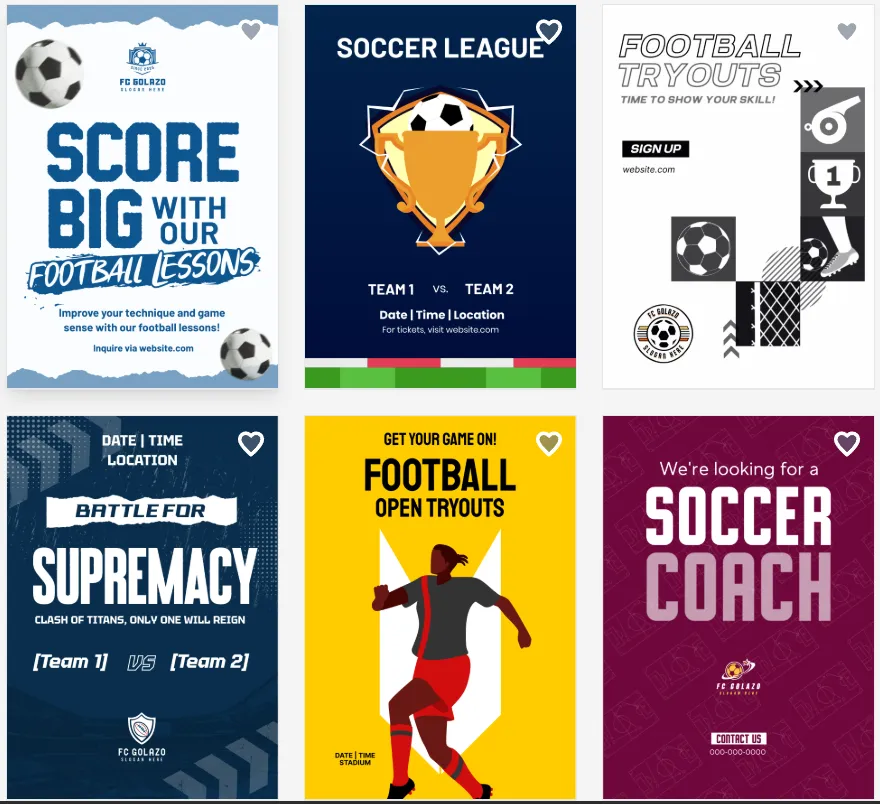
We tried generating a flyer for football events, such as game announcements, tryouts, and hiring a coach, and we got over 9000 flyer designs to choose from!
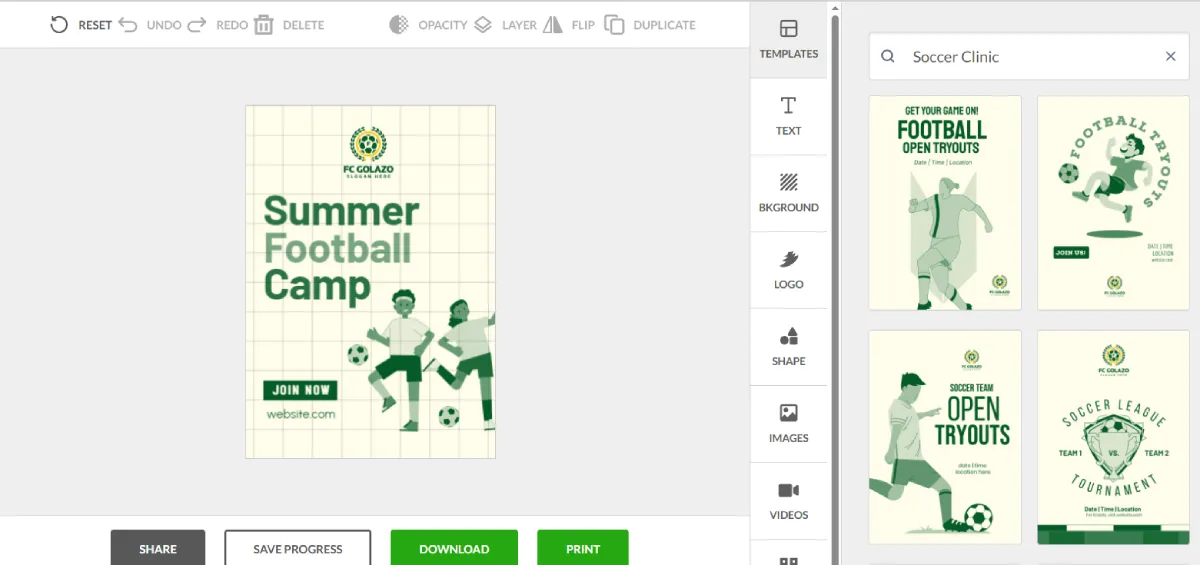
After choosing a design, you have the option to select templates that best fit your flyer announcement.

Once you have chosen the final template for your flyer, you can customize the contents to your heart’s content! There are over 750 fonts to choose from, so feel free to play around with the design.
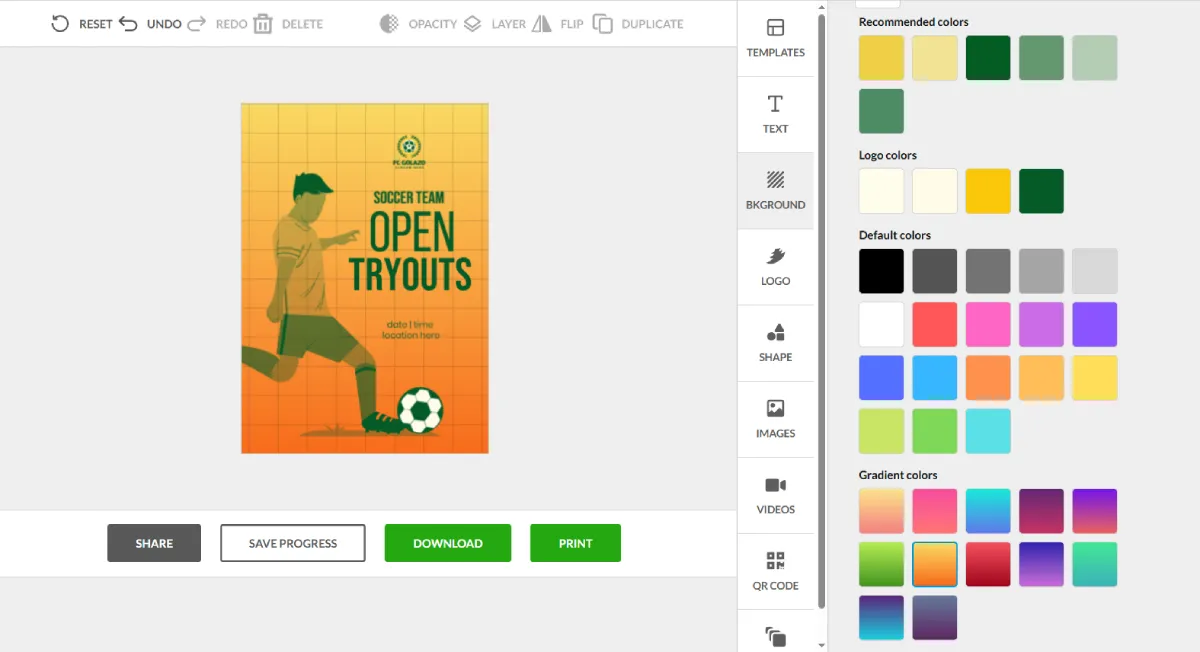
You can also change the background color of your design. Choose from the recommended colors or try the default and gradient colors.

What’s more, you can also upload your own logo if you have one, or choose from the recommended logo templates:

#3 Canva

Rating: 9.2/10
Best for: Beginners, teams, and creators who want an easy, fast, and highly flexible flyer design tool with massive template variety.
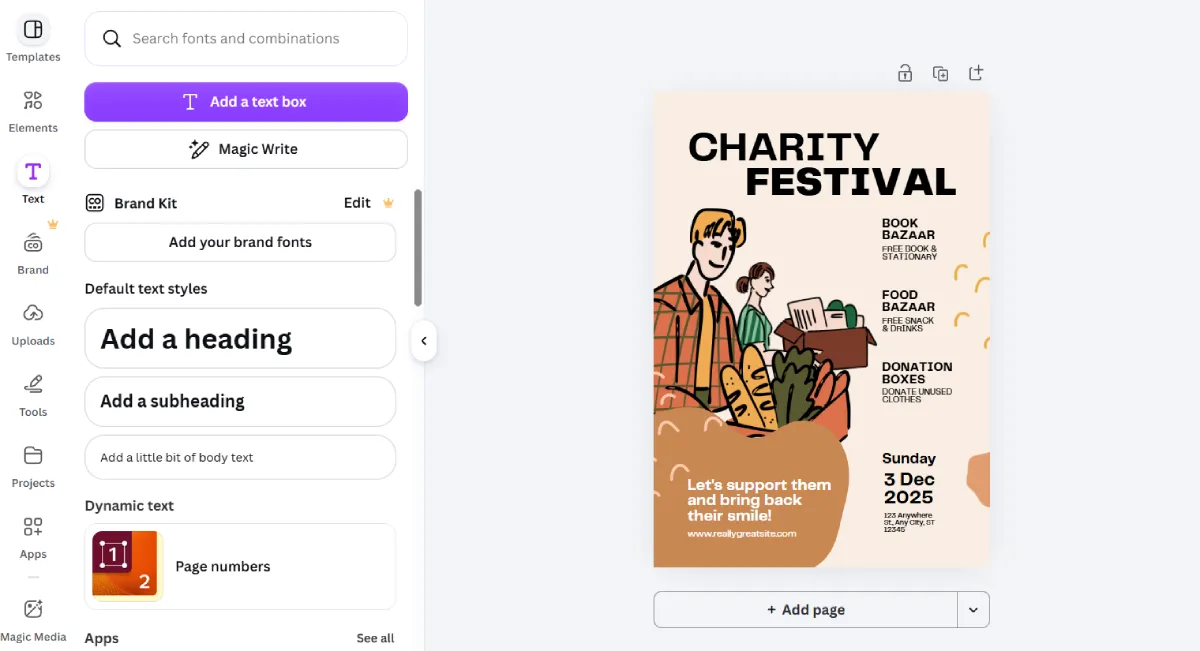
Canva is one of the most accessible flyer generators we tested. It’s built around simplicity, making it easy for anyone to go from idea to finished flyer in minutes. Whether you’re designing for a small business, event, or social media promotion, Canva gives you a huge library of templates to start from.
With Canva’s flyer generator, you can keep things simple with ready-made designs or go deeper and fully customize every element until it matches your exact vision.
Key Features
Massive Template Library (1M+ Designs)
We explored Canva’s template collection and found an extensive range of flyer designs for nearly every imaginable use case. From events and promotions to business announcements and fundraising campaigns, there’s always a starting point.
Simple Drag-and-Drop Editor
We tested the editor and found it extremely beginner-friendly. You can move elements, change fonts, adjust colors, and upload images without needing any design background at all.
Team Collaboration in Real Time
One standout feature we tested was collaboration. Multiple users can edit the same flyer at the same time, leave comments, and make changes together, which is useful for teams and businesses.
Huge Asset Library
Canva includes millions of icons, illustrations, photos, and fonts. We found this especially helpful when building flyers from scratch since you rarely run out of visual elements.
Pros & Cons
Pros
- Extremely easy to use for beginners
- Huge library of templates and assets
- Strong collaboration features
- Flexible customization options
- Free plan available
Cons
- Advanced customization is more limited compared to pro tools
- Some premium assets require paid access
Pricing
- Free plan: Includes flyer creation, templates, and basic assets at no cost
- Pro plan: Around $12.99/month – unlocks premium templates, brand kit, and advanced tools
- Teams plan: Custom pricing for collaboration and business use
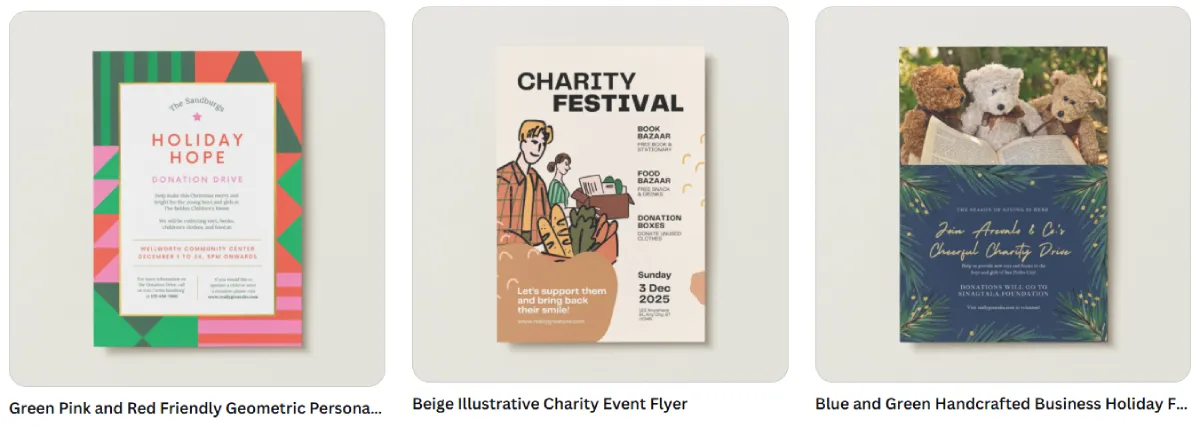
Here’s how it works:
#4 Adobe Express
Rating: 9.1/10
Best for: Users who want a clean, fast, and beginner-friendly flyer maker with professional templates and easy editing across devices.
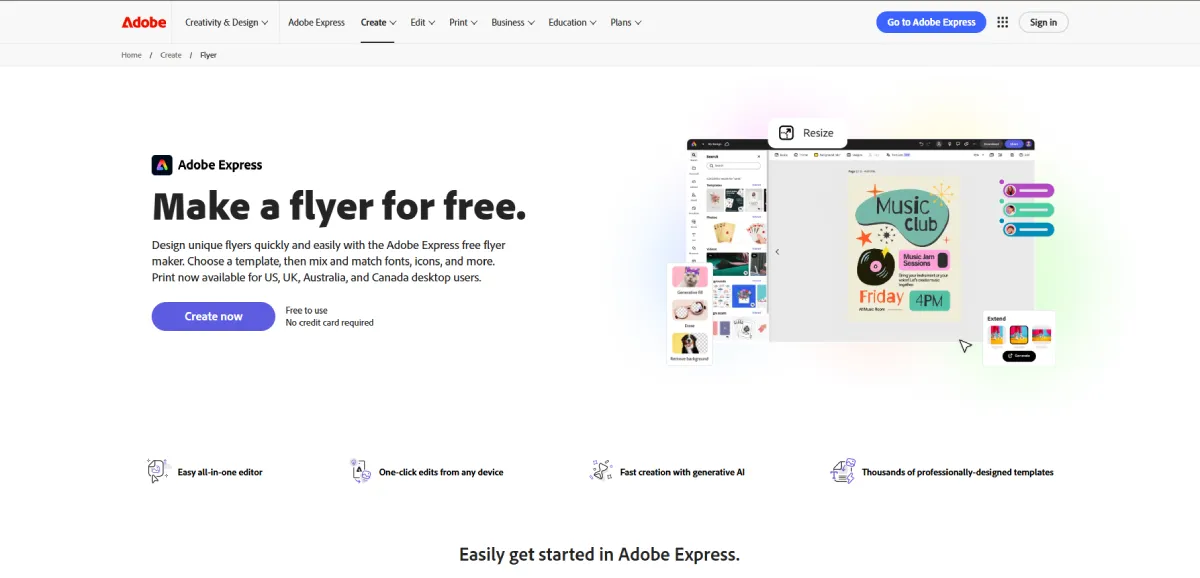
Adobe Express is a straightforward flyer generator built for speed and simplicity. When we tested it, the platform made it easy to start from a template and quickly customize a flyer without feeling overwhelmed by tools or settings. It works well for personal projects, small businesses, and marketing materials where you need something polished fast.
During our testing, what stood out was how “light” and efficient the experience feels. You can build a flyer in minutes, switch between devices, and maintain a consistent design flow without any design experience.
Key Features
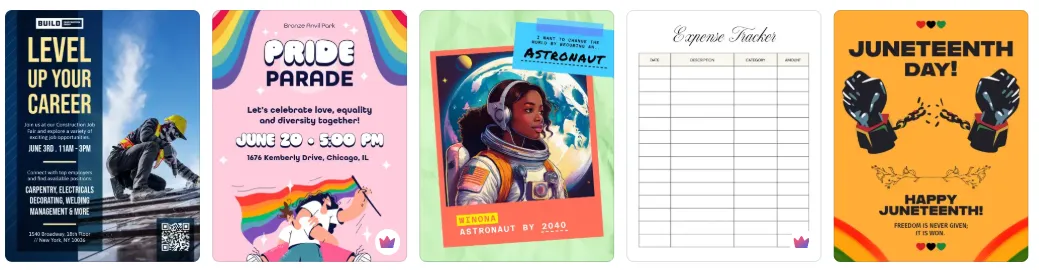
Thousands of Professional Flyer Templates
We explored Adobe Express’s template library and found a wide selection of clean, modern flyer designs for events, promotions, and business use. The templates are well-structured and easy to customize.
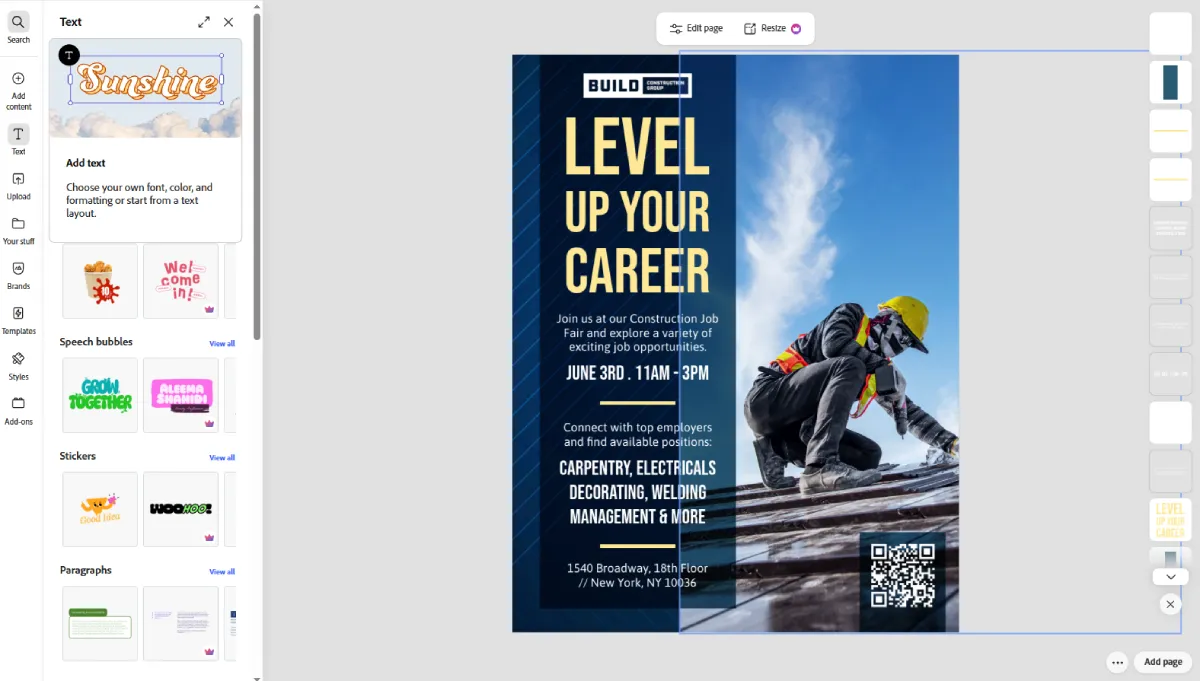
Easy Drag-and-Drop Editor
We tested the editor and found it very beginner-friendly. You can easily move elements, replace images, adjust text, and change fonts without having to deal with complex design settings.
Fast Creation with Simple Tools
One of the strongest parts of Adobe Express is how quickly you can go from idea to finished flyer. The workflow is smooth, with only a few steps between choosing a template and exporting your design.
Cross-Device Editing
We also tested switching between desktop and mobile, and the experience stayed consistent. This makes it easy to edit flyers on the go without losing progress or layout quality.
Pros & Cons
Pros
- Clean and beginner-friendly interface
- High-quality, professional templates
- Fast flyer creation workflow
- Works across desktop and mobile
- Good for simple branding needs
Cons
- Less advanced customization compared to more complex tools
- Some features require paid access
Pricing
- Free plan: Includes access to templates, basic editing tools, and flyer creation
- Premium plan: Around $9.99/month – unlocks premium templates, brand tools, and advanced features
- Business pricing available for teams and enterprises
See how it works:
#5 Piktochart
Rating: 9.0/10
Best for: Small businesses, educators, nonprofits, and event organizers who need quick, professional-looking flyers with minimal effort.
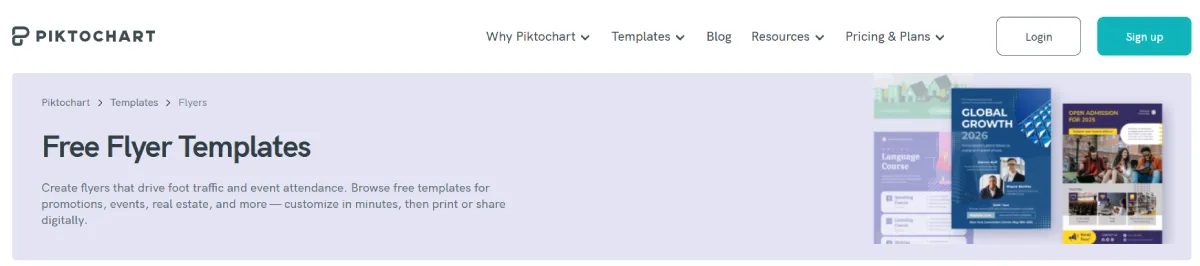
Piktochart is a straightforward flyer generator designed for clarity and speed. During testing, it performed best when used for simple communication-based flyers where information needs to be presented clearly rather than creatively.
It is especially useful for events, school activities, nonprofit announcements, and business notices where layout structure matters more than design complexity.
Key Features
Simple Flyer Templates for Quick Use
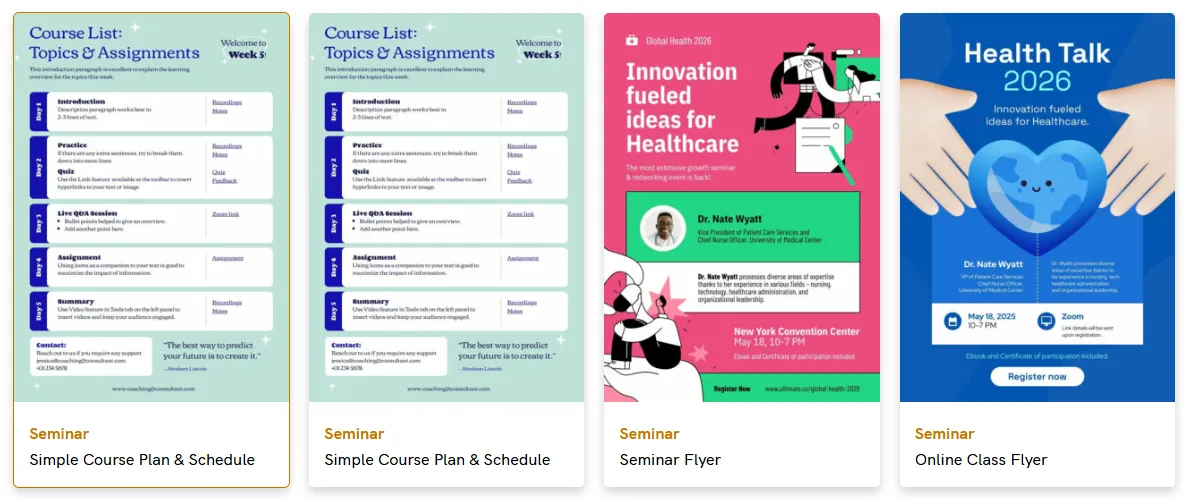
We found Piktochart’s templates very structured and easy to work with. They are designed to communicate information clearly, which makes them ideal for announcements and event promotions.
Easy Editing for Beginners
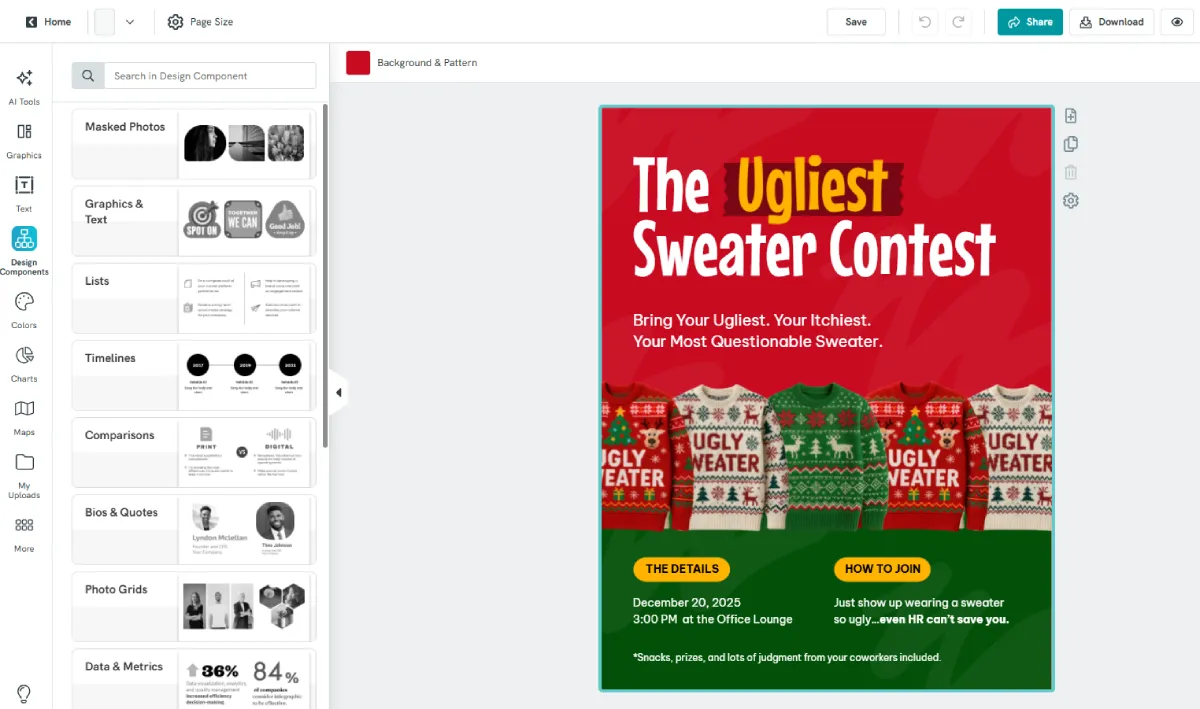
The editor is simple and beginner-friendly. You can quickly replace text, adjust images, and update branding without needing design experience.
Fast Export for Print and Digital Use
We tested export options and found it easy to download flyers as print-ready PDFs or digital PNG files.
Pros & Cons
Pros
- Very easy to use
- Clean, structured layouts
- Good for informational flyers
- Fast workflow from template to export
Cons
- Less creative flexibility compared to advanced design tools
- Limited customization depth for complex branding
Pricing
- Free plan: Includes access to flyer templates and basic editing tools
- Pro plan: Around $14–$24/month (varies by billing) – unlocks premium templates, branding tools, and advanced export options
- Team plans available for collaboration and organizations
See how it works below:
Tips for Choosing a Flyer Generator
With so many flyer generators available, it’s easy to get distracted by features that look good on paper but don’t actually help in real use. The best choice depends on how often you create flyers, your design experience, and whether you need speed, flexibility, or branding control.
Here are some practical tips to help you choose the right tool:
- Start with ease of use: If you’re not a designer, prioritize tools with simple drag-and-drop editors and ready-made templates.
- Check template quality, not just quantity: A smaller set of high-quality, modern templates is often better than thousands of outdated ones.
- Look at customization depth: Make sure you can adjust fonts, colors, and layouts enough to match your brand.
- Consider your use case: Event flyers, business promotions, and social media flyers may require different strengths from a tool.
- Check export options: Ensure the platform supports high-resolution downloads and print-ready formats if you need physical flyers.
- Think about branding needs: If you create flyers regularly, choose a tool that supports consistent brand colors, logos, and style settings.
- Test speed of workflow: A good flyer generator should take you from idea to finished design in minutes, not hours
Conclusion
Choosing the right flyer generator comes down to how quickly you can turn an idea into a polished, usable design without unnecessary friction. While all the tools we reviewed offer solid features, they each serve slightly different needs: some focus on simplicity, others on collaboration, and others on template variety.
After testing them across real use cases, Design.com stands out as the best overall flyer generator. It consistently delivers strong results in speed, design quality, customization, and branding flexibility, making it the most complete option for both beginners and businesses.
If you’re ready to create professional flyers without the complexity, Design.com is the best place to start.