
If you are serious about scaling your website globally, choosing from the best WordPress multilingual plugins is one of the smartest decisions you can make. Your content should not be limited by language, especially when your audience is not.
But here is where it gets tricky. Not every plugin delivers real value. Some focus only on automation, while others like the WPML plugin emphasize compatibility, control, and structured translation workflows.
So how do you pick a tool that actually helps you grow instead of slowing you down?
This guide breaks everything down in a clear, practical way. You will discover powerful tools, real features that matter, and exactly how to choose the right multilingual plugin for your WordPress site.
Benefits of Using a WordPress Multilingual Plugins?
Expand Your Reach Beyond One Language
A multilingual plugin allows your website to connect with audiences from different countries without creating multiple websites. You can serve content in various languages while maintaining a single WordPress setup.
This means your brand becomes accessible to users who prefer browsing in their native language. Instead of limiting traffic, you open your website to a global audience that was previously unreachable.
Over time, this expansion translates into more visibility, more engagement, and stronger brand recognition across different regions.
Improve Search Engine Visibility Globally
Multilingual plugins often include essential SEO features like hreflang tags and translated URLs. These help search engines understand which language version of your content to show to users.
With proper implementation, your website can rank in multiple countries simultaneously. This increases your organic traffic without requiring separate SEO strategies for each region.
You are not just translating content—you are multiplying your search presence across global markets.
Increase User Engagement and Trust
When users read content in their preferred language, they naturally feel more comfortable and confident. This reduces bounce rates and increases the time spent on your website.
Multilingual plugins ensure that menus, buttons, and dynamic elements are translated properly. This creates a seamless browsing experience for your visitors.
The more comfortable users feel, the more likely they are to interact, subscribe, or make a purchase.
Boost Conversion Rates and Revenue
People are more likely to take action when they fully understand what they are reading. Language plays a huge role in decision-making, especially for purchases or sign-ups.
By offering localized content, you remove friction in the user journey. This increases conversion rates and improves overall sales performance.
A multilingual website is not just about traffic—it is about turning visitors into customers.
Simplify Multilingual Content Management
Managing multiple languages manually can quickly become overwhelming. Multilingual plugins centralize everything within your WordPress dashboard.
You can update, edit, and manage translations from a single interface. This keeps your workflow organized and efficient.
Instead of juggling different systems, you maintain full control in one place.
Things to look for in the best WordPress Multilingual Plugins
Translation Flexibility and Control
A good multilingual plugin should give you full control over how translations are handled. You should be able to choose between manual translation, automatic translation, or a hybrid approach.
Manual translation ensures accuracy, while automatic translation saves time. The best plugins allow you to combine both for optimal results.
This flexibility helps you maintain quality without slowing down your workflow.
Strong SEO Integration
Your multilingual plugin must support SEO features like translated URLs, hreflang tags, and metadata translation. These elements are essential for ranking in different languages.
Without proper SEO integration, your translated pages may not perform well in search engines. This limits your growth potential.
A plugin with strong SEO capabilities ensures your content is visible globally.
Ease of Use and User Interface
You want a plugin that simplifies the translation process, not complicates it. A visual editor or front-end interface can make translation much easier.
Instead of navigating complex backend settings, you can translate content directly on your website. This improves efficiency and reduces errors.
A clean interface saves time and makes the entire process more enjoyable.
Compatibility with Themes and Plugins
Your multilingual plugin should work seamlessly with your current WordPress setup. This includes themes, page builders, and third-party plugins.
If compatibility is limited, you may struggle to translate certain elements like forms or dynamic content.
Choosing a well-supported plugin prevents technical issues and ensures a smooth experience.
Performance and Speed Optimization
Website speed is critical for both user experience and SEO. Some multilingual plugins can slow down your site if not optimized properly.
Look for plugins that use efficient translation storage and caching systems. This helps maintain fast loading times.
A fast website keeps users engaged and improves your search rankings.
Scalability for Future Growth
Your website will grow, and your multilingual needs will evolve. A good plugin should scale with your business.
Whether you are adding more languages or expanding content, the plugin should handle it without performance issues.
Scalability ensures long-term value and flexibility.
Integration with Translation Services
Some plugins integrate with professional translation services or APIs like Google Translate or DeepL. This allows you to automate translations when needed.
You can also combine automated translation with manual editing for better quality.
This feature gives you the flexibility to choose the best translation approach for your business.
9 Best WordPress Multilingual Plugins
Choosing the best WordPress multilingual plugins is not just about features—it is about finding the right tool that aligns with your goals. Some plugins prioritize automation, while others focus on control, SEO, or scalability.
The right choice depends on how you want to manage translations and how fast you want to grow globally.
Below are nine powerful plugins that can transform your WordPress site into a multilingual platform. In the next section, you will see exactly how each tool works and which one fits your needs best.
1. WTranslator

WTranslator is designed for website owners who want speed, control, and performance in one multilingual solution. It combines AI-powered translation with manual editing, giving you flexibility without sacrificing accuracy. Its modern interface and SEO-focused architecture make it a strong option for growing websites that want to scale globally without complexity.
WTranslator gives you a powerful translation engine that works across your entire website, including dynamic content. You are not limited to static pages, which means your full site experience remains consistent in every language.
Its real-time editing interface allows you to translate content visually, reducing guesswork and improving efficiency. You see exactly what your visitors will see.
The plugin also supports multilingual SEO features such as hreflang tags and translated URLs. This helps your pages rank properly across different regions.
Another standout feature is its ability to integrate with modern page builders. You can translate complex layouts without breaking design structure.
Highlighted Features:
- AI-powered translation with manual editing flexibility
• Full-site translation including dynamic and plugin content
• Built-in SEO optimization with hreflang support
• Real-time visual translation editor
• WooCommerce multilingual compatibility
• Fast-loading translation engine
• Cloud-based translation management system
• Integration with major WordPress page builders
WTranslator Pros:
- Combines automation and manual translation effectively
• Strong SEO capabilities for global visibility
• Clean and intuitive user interface
• Handles dynamic content seamlessly
• Works well with eCommerce websites
• Scales easily as your website grows
• Minimal impact on site performance
WTranslator Cons:
- Still growing in popularity compared to older plugins
• Some advanced features may require onboarding
• Limited third-party ecosystem compared to competitors
Final Verdict?
WTranslator offers a balanced approach that many plugins fail to deliver. You get automation, control, and SEO power in one solution without unnecessary complexity.
If your goal is to build a multilingual website that performs well, scales easily, and maintains quality, WTranslator is the smartest long-term choice. It stands out as a modern solution built for real growth.
Price: Custom pricing based on usage
2. TranslatePress
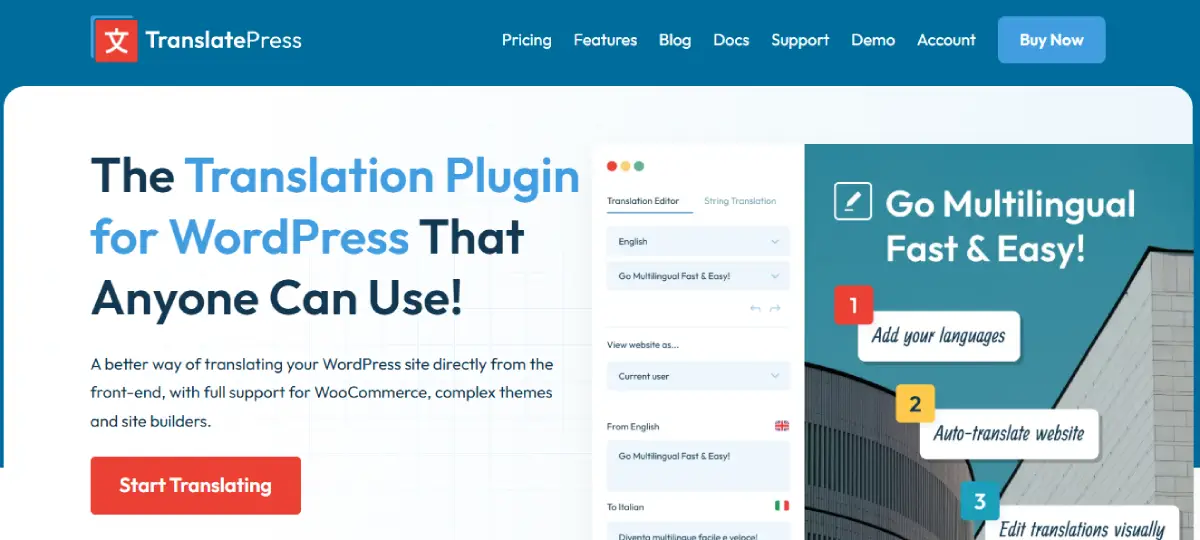
TranslatePress is one of the most user-friendly multilingual plugins available today. It focuses on visual translation, allowing you to translate your website directly from the front end. This approach simplifies the entire process and reduces errors.
TranslatePress lets you translate pages, posts, menus, and even dynamic content visually. You can switch between languages and edit content in real time.
It integrates with Google Translate for automatic translation while still allowing manual corrections. This hybrid approach improves both speed and accuracy.
The plugin also supports WooCommerce, making it suitable for online stores.
Its SEO integration ensures translated pages are indexed correctly with proper URL structures.
Highlighted Features:
- Visual front-end translation interface
• Integration with Google Translate API
• SEO-friendly URL structure and metadata
• WooCommerce compatibility
• Translation memory for repeated content
TranslatePress Pros:
- Easy-to-use visual editor
• Supports both manual and automatic translation
• Strong SEO features
• Works with most themes and plugins
• Good performance optimization
TranslatePress Cons:
- Advanced features require premium version
• Limited automation compared to SaaS tools
• Can be slower with very large sites
• Some integrations require configuration
• Pricing increases with more features
Final Verdict?
TranslatePress is ideal if you want a visual and intuitive translation experience. It simplifies multilingual management while maintaining control over your content.
Price: Free version available, premium starts at €89/year
3. GTranslate

GTranslate is built for speed and automation. It uses Google Translate to instantly convert your website into multiple languages. This makes it one of the fastest ways to go multilingual.
The plugin offers automatic language detection, ensuring users see content in their preferred language.
Its cloud-based system reduces server load and improves performance.
The premium version includes SEO-friendly URLs and indexing capabilities.
It is particularly useful for large websites that need quick translation.
Highlighted Features:
- Automatic translation powered by Google
• Cloud-based translation system
• Language auto-detection
• SEO-friendly URLs in premium plans
• Fast setup and deployment
GTranslate Pros:
- Extremely fast translation setup
• Supports many languages instantly
• Minimal manual effort required
• Scalable for large websites
• Cloud-based performance optimization
GTranslate Cons:
- Translation quality depends on machine output
• SEO features require paid plan
• Limited manual editing in free version
• Less control over content accuracy
• Subscription required for advanced features
Final Verdict?
GTranslate is a strong choice if you prioritize speed and automation. It works best for websites that need quick multilingual deployment without heavy manual effort.
Price: Free version available, paid plans start at $9.99/month
4. Polylang

Polylang is a flexible multilingual plugin that gives you full control over translations. It allows you to create and manage content in multiple languages directly within WordPress.
Unlike automatic tools, Polylang focuses on manual translation. This ensures higher accuracy and better localization.
It supports custom post types, taxonomies, and widgets.
Polylang also integrates well with SEO plugins, helping you maintain visibility.
Its lightweight design ensures good performance.
Highlighted Features:
- Manual translation management system
• Support for custom post types and taxonomies
• SEO-friendly URL structure
• Language switcher customization
• Compatibility with major themes
Polylang Pros:
- Full control over translations
• Lightweight and fast performance
• Strong compatibility with WordPress
• Free version available
• Good SEO integration
Polylang Cons:
- No built-in automatic translation
• Requires manual effort for content
• Some features limited to Pro version
• Learning curve for beginners
• Limited advanced automation
Final Verdict?
Polylang is perfect if you prefer full control and accuracy. It is reliable, flexible, and suitable for users who want precise translations.
Price: Free version available, Pro starts at €99/year
5. MultilingualPress
MultilingualPress takes a unique approach by using WordPress multisite. Each language operates as a separate site, improving performance and scalability.
This structure ensures better separation of content and faster loading times.
It allows you to connect multiple sites and manage translations efficiently.
The plugin is ideal for large and complex websites.
It also supports SEO-friendly configurations.
Highlighted Features:
- Multisite-based translation system
• Separate language sites for better performance
• Scalable architecture
• SEO-friendly setup
• Cross-site content linking
MultilingualPress Pros:
- Excellent performance optimization
• Ideal for large websites
• Strong scalability
• Clean content separation
• Advanced multilingual structure
MultilingualPress Cons:
- Requires WordPress multisite setup
• More complex configuration
• Not beginner-friendly
• Higher cost compared to others
• Limited simplicity for small sites
Final Verdict?
MultilingualPress is best for enterprise-level websites that need scalability and performance. It is powerful but requires technical knowledge.
Price: Starts at €199/year
6. WPGlobus

WPGlobus is a straightforward multilingual plugin built for users who prefer simplicity over automation. It works directly inside the WordPress editor, allowing you to manage translations without switching interfaces. This makes it a practical option if you want to keep everything within your familiar workflow.
WPGlobus lets you write and edit content in multiple languages within the same post editor. You can switch between languages using tabs, which keeps your content organized.
It supports posts, pages, custom post types, and taxonomies. This ensures flexibility across different content types.
The plugin also integrates with some popular themes and plugins, allowing you to extend its functionality.
Its lightweight structure ensures that your website performance remains stable.
Highlighted Features:
- Editor-based multilingual content management
• Language switching within WordPress editor
• Support for custom post types
• Lightweight and performance-friendly
• Flexible language configuration
WPGlobus Pros:
- Simple and easy to use
• No need for external translation tools
• Lightweight and fast
• Works within native WordPress editor
• Flexible for basic multilingual needs
WPGlobus Cons:
- Limited automation features
• Not ideal for large-scale websites
• Fewer SEO features compared to competitors
• Requires manual translation
• Limited integrations
Final Verdict?
WPGlobus is a solid choice if you want a simple, lightweight multilingual solution. It works best for smaller websites that do not require advanced features.
Price: Free version available, premium starts at $99/year
7. ConveyThis

ConveyThis is a cloud-based multilingual plugin designed for speed and ease of use. It combines automatic translation with a visual editor, making it accessible for both beginners and professionals.
You can translate your entire website within minutes using its AI-powered system.
The visual editor allows you to refine translations manually for better accuracy.
It also supports SEO-friendly URLs and language indexing.
ConveyThis integrates easily with WordPress and requires minimal setup.
Highlighted Features:
- AI-powered automatic translation
• Visual editing interface
• SEO-friendly URL structure
• Cloud-based translation system
• Fast installation and setup
ConveyThis Pros:
- Quick and easy setup
• Combines automation with manual editing
• Strong SEO capabilities
• Works with most WordPress themes
• Good performance optimization
ConveyThis Cons:
- Free plan has limited features
• Requires subscription for full functionality
• Some translations may need manual correction
• Dependence on cloud service
• Pricing increases with usage
Final Verdict?
ConveyThis is ideal if you want a fast and flexible translation solution. It balances automation and control effectively, making it suitable for growing websites.
Price: Free plan available, paid plans start at $15/month
8. Loco Translate

Loco Translate is a developer-focused plugin that allows you to translate WordPress themes and plugins directly from your dashboard. It is not a full multilingual solution but plays an important role in localization.
It provides built-in PO file editing, which gives you precise control over translation strings.
This is especially useful when translating plugin or theme text that other tools may not handle well.
Loco Translate works entirely within WordPress, eliminating the need for external software.
Its lightweight design ensures minimal impact on performance.
Highlighted Features:
- In-dashboard PO file editor
• Theme and plugin translation support
• Developer-friendly interface
• No external tools required
• Lightweight and efficient
Loco Translate Pros:
- Ideal for developers and advanced users
• Full control over translation strings
• Lightweight and fast
• Free to use
• Works directly in WordPress dashboard
Loco Translate Cons:
- Not a complete multilingual solution
• No automatic translation features
• Requires technical knowledge
• Limited SEO functionality
• Not beginner-friendly
Final Verdict?
Loco Translate is best used alongside other multilingual plugins. It is perfect for handling theme and plugin translations with precision.
Price: Loco Translate boasts diverse pricing plans. These includes the Pro, Business and Agency that cost £ 4.95, £ 14.95, and £ 24.95
9. Weglot

Weglot is one of the most popular multilingual plugins due to its simplicity and powerful features. It combines automatic translation with manual editing, making it a balanced solution for most users.
You can translate your website instantly and refine translations using its visual editor.
Weglot also handles SEO automatically, including hreflang tags and translated URLs.
Its cloud-based system ensures fast performance and scalability.
It works with almost any WordPress theme or plugin.
Highlighted Features:
- Automatic and manual translation workflow
• SEO optimization with hreflang tags
• Visual translation editor
• Cloud-based system
• Fast and easy setup
Weglot Pros:
- Very easy to set up
• Strong SEO features
• Supports many languages
• Works with all themes and plugins
• Reliable performance
Weglot Cons:
- Subscription-based pricing
• Limited control in lower plans
• Can become expensive for large sites
• Translation quality depends on automation
• Word limits in plans
Final Verdict?
Weglot is a great choice if you want a balance between ease of use and performance. It is reliable, scalable, and suitable for most WordPress websites.
Price: Starts at €15/month
Final Thoughts
Choosing the best WordPress multilingual plugins depends on your goals, workflow, and level of control. Some tools prioritize automation, while others focus on precision and flexibility.
If you want a modern, scalable, and SEO-focused solution, WTranslator clearly stands out. It combines speed, control, and performance in a way that makes it ideal for long-term growth.
Other plugins like TranslatePress, Weglot, and Polylang also offer strong capabilities depending on your needs.
The key is to choose a tool that aligns with your strategy. Once you do, your website is no longer limited by language—it becomes truly global.
Best Multilingual Plugins FAQs (Frequently Asked Questions)
What are WordPress multilingual plugins and how do they work?
WordPress multilingual plugins allow you to translate your website into multiple languages while managing everything from one dashboard. They either use manual translation, automatic translation, or both, helping you create localized content that improves accessibility, user experience, and global search visibility.
Why should you use a multilingual plugin on your WordPress website?
Using a multilingual plugin helps you reach a wider audience by removing language barriers. It improves user experience, boosts engagement, and increases conversions by delivering content in users’ native languages while enhancing your website’s global SEO performance and visibility.
What is the difference between manual and automatic translation plugins?
Manual translation plugins require you to input translations yourself, ensuring accuracy and control. Automatic translation plugins use AI or machine translation services to translate content instantly, saving time, though they may require editing to improve quality and maintain context.
Do multilingual plugins affect website SEO performance?
Yes, multilingual plugins can significantly improve SEO when properly configured. They generate hreflang tags, create language-specific URLs, and optimize metadata, helping search engines display the correct language version of your content to users in different regions and countries.
Can you use multilingual plugins with WooCommerce stores?
Most modern multilingual plugins support WooCommerce, allowing you to translate product pages, checkout processes, and customer emails. This ensures international customers can browse, understand, and purchase products easily, which improves conversions and enhances the overall shopping experience on your website.
Which WordPress multilingual plugin is best for beginners?
Plugins like TranslatePress and Weglot are beginner-friendly due to their visual editors and easy setup. They allow you to translate content directly from the front end, making it simple to manage multilingual websites without needing advanced technical skills or coding knowledge.
How many languages can you add using a multilingual plugin?
The number of languages depends on the plugin you choose. Some plugins support unlimited languages, while others limit languages based on pricing plans. Most popular multilingual plugins allow you to add multiple languages without affecting your website structure or performance significantly.
Are multilingual plugins compatible with all WordPress themes?
Most high-quality multilingual plugins are designed to work with popular WordPress themes and plugins. However, compatibility can vary, especially with custom themes or complex layouts, so choosing a well-supported plugin ensures smoother integration and fewer technical issues during translation.
Do multilingual plugins slow down your website?
Some multilingual plugins can affect performance if not optimized properly. However, well-built plugins use caching, efficient storage, and cloud-based systems to minimize impact, ensuring your website maintains fast loading speeds and delivers a smooth user experience across all languages.
What is the role of hreflang tags in multilingual websites?
Hreflang tags help search engines understand which language version of your content to show to users based on their location and language preferences. This prevents duplicate content issues and ensures your pages rank correctly in different countries and regions globally.
Can you edit automatic translations in multilingual plugins?
Yes, most modern multilingual plugins allow you to edit automatic translations manually. This hybrid approach ensures faster translation while maintaining accuracy, enabling you to refine content, correct errors, and ensure your messaging aligns with your brand voice and audience expectations.
Which multilingual plugin is best for SEO-focused websites?
Plugins like WTranslator, TranslatePress, and Weglot offer strong SEO features, including translated URLs, metadata control, and hreflang integration. These features help your website rank across multiple languages, making them ideal for businesses focused on global search engine visibility.
Do you need coding skills to use WordPress multilingual plugins?
No, most multilingual plugins are designed for non-technical users and provide user-friendly interfaces. Visual editors and guided workflows make it easy to translate content without coding, though advanced customization may require some technical knowledge depending on your needs.
Can multilingual plugins handle dynamic content and page builders?
Yes, advanced multilingual plugins can translate dynamic content created with page builders like Elementor or Gutenberg. They ensure all elements, including widgets and interactive features, are translated properly, maintaining design consistency and functionality across different language versions of your website.
How do you choose the best WordPress multilingual plugin for your needs?
You should consider factors like translation method, SEO features, ease of use, compatibility, and scalability. The best plugin aligns with your workflow, supports your growth, and ensures your website delivers a seamless multilingual experience without compromising performance or user experience.