
16 Sep 2026
Category: Guide
Best Antidetect Browser for Multi-Account Management in 2026: Browser.Vision Features Explained
Managing multiple online accounts has become more complex in 2026.
Simply opening several Chrome profiles is often not enough for professional teams that need separate cookies, proxies, browser storage, fingerprints, permissions and automation workflows.
This is where an antidetect browser for multi-account management can provide a more structured environment.
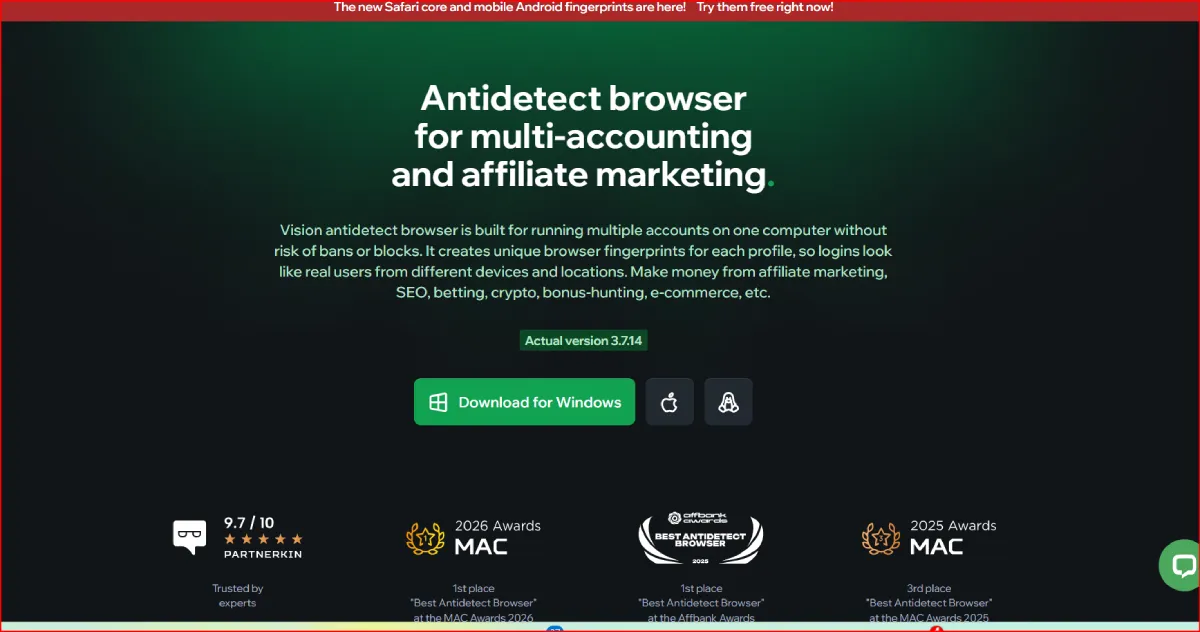
Browser.Vision, also known as Vision Browser, is designed around isolated browser profiles and adds tools such as Smart Fingerprints, proxy management, team permissions, Chrome and Safari environments, Android fingerprints, automation APIs, Instant Profiles, Cookie Robot and profile synchronization.
But how well does Browser.Vision actually work for managing multiple accounts?
In this guide, we examine its main multi-account features, team tools, proxies, browser isolation, automation capabilities, pricing and limitations to determine what type of user could benefit most from it in 2026.
Browser.Vision for Multi-Account Management: Quick Overview
| Feature | Browser.Vision |
| Isolated browser profiles | ✅ |
| Separate cookies and storage | ✅ |
| Individual proxies | ✅ |
| HTTP/HTTPS proxies | ✅ |
| SOCKS4/SOCKS5 | ✅ |
| Chrome profiles | ✅ |
| Safari profiles | ✅ |
| Android fingerprints | ✅ |
| Profile folders | ✅ |
| Tags and notes | ✅ |
| Bulk profile actions | ✅ |
| Team collaboration | ✅ |
| Granular permissions | ✅ |
| Profile transfer | ✅ |
| Synchronizer | ✅ |
| Cookie Robot | ✅ |
| Instant Profiles | ✅ |
| API | ✅ |
| Playwright | ✅ |
| Puppeteer | ✅ |
| Selenium | ✅ |
| Free trial | 4 days |
| Maximum standard plan | 1,500 profiles |
| Custom plans | Available |
Browser.Vision currently offers profile plans ranging from 50 to 1,500 profiles, with team creation included and custom arrangements available for larger requirements.
What Is Multi-Account Management?
Multi-account management means operating several separate online accounts without mixing their browser sessions.
For example, an agency might manage different authorized client accounts, while an e-commerce company might separate stores, brands, regions or employee workflows.
Every account may need its own:
- Cookies
- Local storage
- Browser history
- Proxy
- Browser fingerprint
- Extensions
- Bookmarks
- Login session
- Notes
- Device environment
The biggest problem with using one ordinary browser installation is that information can be shared between sessions.
Dedicated browser-profile software attempts to solve this by creating separate browser environments.
How Browser.Vision Separates Multiple Accounts
The browser profile is the main unit inside Vision.
According to Vision’s documentation, every profile operates as its own browser instance with separate settings, extensions and bookmarks. The company states that profile data is isolated so that information from one profile does not overlap with another.
That means a user can create:
Profile 1 → Account A
Profile 2 → Account B
Profile 3 → Account C
Each can use a different browser configuration and proxy.
This is considerably easier to organize than repeatedly logging in and out of different accounts inside the same browser.
Why Browser Isolation Matters
Modern websites can analyze far more than cookies.
Possible browser and device signals include:
- IP address
- User-Agent
- Operating system
- Screen resolution
- Timezone
- Language
- WebGL
- WebGPU
- Canvas
- WebRTC
- Fonts
- Hardware concurrency
- Device memory
- Media devices
- Client Rects
- Browser storage
For professional account separation, deleting cookies alone therefore does not create an entirely new browser environment.
Vision allows profiles to maintain separate settings and fingerprint information rather than relying solely on Chrome’s basic profile system.
Smart Fingerprints
Browser fingerprint management is one of Vision’s core technologies.
Vision currently advertises substitution of more than 1,000 browser parameters, with some values changing dynamically.
Users can also choose between Standard and Advanced Smart Fingerprint search modes.
Vision says Advanced mode evaluates a greater number of fingerprint parameters when selecting suitable configurations.
The objective is not simply to generate random browser properties.
A believable browser profile needs consistency between characteristics such as:
- Browser
- Operating system
- Hardware
- Screen
- GPU
- Language
- Timezone
- Network location
Randomly combining unrelated values could itself create an unusual environment.
As with every antidetect browser, however, fingerprint quality should be evaluated using real workflows rather than assuming that vendor claims guarantee undetectability.
Profile Organization With Folders
Once a user manages dozens or hundreds of profiles, organization becomes almost as important as fingerprinting.
Browser.Vision uses folders as the main organizational layer.
Profiles cannot be created outside a folder.
Vision also isolates folder-level resources. Profiles, proxies, extensions, bookmarks and start pages attached to one folder do not automatically appear in another.
A business could therefore organize profiles like this:
Client A
- TikTok
- Store account
Client B
- Shopify
- Advertising accounts
Ecommerce EU
- Germany
- France
- Netherlands
Ecommerce US
- Store 1
- Store 2
- Store 3
This becomes especially useful as the number of accounts increases.
Tags, Statuses and Notes
Folders are not the only organizational tools.
Browser.Vision profiles can also include:
- Profile names
- Proxies
- Statuses
- Tags
- Notes
Vision’s profile dashboard displays these fields directly and lets users organize and sort profile information.
For a small operation, this may seem minor.
For a team operating hundreds of profiles, tags and statuses can quickly become essential.
For example:
Status: Ready
Status: Needs Review
Status: Proxy Change
Status: Client Hold
or tags such as:
US / Ecommerce / Manager-1
This makes Browser.Vision function partly as an operational dashboard rather than only as a browser launcher.
Bulk Multi-Account Management
Managing hundreds of profiles individually would be inefficient.
Vision therefore provides bulk actions from its profile dashboard.
Current bulk options include operations such as:
- Mass tag assignment
- Profile transfer
- Cookie export
- Cookie Robot
- Proxy checking
- Mass proxy changes
- Mass profile start
- Mass profile stop
- Mass deletion
This is particularly valuable for agencies and larger multi-account operations.
Changing ten proxies manually is manageable.
Changing hundreds individually is not.
Proxy Management
Proxies are another important part of multi-account infrastructure.
Browser.Vision currently supports:
| Proxy Protocol | Support |
| HTTP | ✅ |
| HTTPS | ✅ |
| SOCKS4 | ✅ |
| SOCKS5 | ✅ |
| SSH | Planned |
Proxies can be organized at the folder level.
This means that proxies assigned to one project do not automatically populate another folder.
Vision also exposes proxy creation and management through its API, which can be useful for larger automated workflows.
Why One Proxy per Account Can Matter
When separate browser environments are required, assigning appropriate network identities is often part of that setup.
For example:
Profile A → Proxy A
Profile B → Proxy B
Profile C → Proxy C
However, an antidetect browser cannot turn a poor proxy into a good one.
Proxy reputation, location accuracy, connection stability and IP history remain dependent on the proxy provider.
The browser and proxy should therefore be viewed as two parts of the same environment rather than substitutes for one another.
HTTP, SOCKS5 and UDP Support
Browser.Vision places particular emphasis on its SOCKS5 implementation.
The platform advertises UDP support through compatible SOCKS5 proxies and has continued expanding compatibility with different proxy-provider implementations in its 2026 updates.
Vision can also work with QUIC proxying when compatible infrastructure is available.
These networking features are more specialized, but they can matter to technically advanced users who need more than ordinary HTTP proxy routing.
Chrome and Safari Profiles
Most antidetect browsers are heavily focused on Chromium.
Browser.Vision now provides both:
Chrome
and
Safari
environments.
Vision lists both browser cores as available within the platform.
This can provide additional flexibility for teams that need different browser environments.
Safari can be particularly useful for Apple-oriented website testing or workflows where representing only Chromium traffic is insufficient.
Safari support does have platform and feature limitations compared with Vision’s mature Chrome implementation, so users who specifically need Safari should test their workflow before moving production profiles.
Android Mobile Fingerprints
Multi-account management increasingly includes mobile web environments.
Vision added mobile and tablet fingerprints during 2026.
Its current download page promotes Android fingerprints collected from real Android devices.
The feature was initially introduced with Vision 3.6.2, which added mobile-device fingerprint emulation.
This gives users another environment alongside traditional desktop profiles.
It is important to understand the distinction, however.
An Android browser fingerprint is not the same as a complete Android virtual machine or cloud phone.
If a workflow requires native Android applications, a physical device, Android emulator or cloud phone may be more appropriate.
Browser.Vision Team Management
One of Browser.Vision’s strongest features for larger operations is team collaboration.
Users can create teams and switch between their personal environment and team environments directly inside the application.
Vision currently states that there is no fixed limit on the number of teams a user may create or join.
The actual profile and additional-user limits depend on the paid subscription.
This architecture can be useful for agencies.
For example:
Team: Client A
Profiles:
- Account 1
- Account 2
- Account 3
Employees:
- Manager
- Media Buyer
- Assistant
Team: Client B
Profiles:
- Account 4
- Account 5
Employees:
- Manager
- Operator
Users can move between these environments without maintaining separate Vision accounts for every team.
Granular Team Permissions
Giving every employee unrestricted access creates unnecessary operational risk.
Vision therefore provides granular permissions.
Administrators can control access to areas such as:
- Viewing users
- Editing team members
- Creating folders
- Viewing specific folders
- Starting profiles
- Stopping profiles
- Editing profiles
- Transferring profiles
- Moving profiles between folders
- Transferring profiles to another user or team
- Deleting profiles
Permissions can also be applied globally or to specific folders.
This makes it possible to give an employee access only to the profiles required for their job.
For example, an operator responsible for Client A does not necessarily need access to Client B.
Profile Transfer
Multi-account workflows sometimes require profiles to move between employees or teams.
Instead of exporting every cookie or session manually, Vision includes profile-transfer functionality.
Its permission system specifically distinguishes between:
moving profiles between folders
and
transferring profiles to another user or team.
That distinction can be useful for organizations with separate departments or account operators.
Synchronizer for Multiple Profiles
Some workflows require the same basic action to be repeated across several profiles.
Browser.Vision includes a Synchronizer designed for this purpose.
Vision currently describes it as a tool for performing the same actions simultaneously across multiple profiles.
Instead of opening ten windows and manually repeating the same interaction ten times, the Synchronizer can reduce repetitive work.
This can be useful when handling similar authorized tasks across multiple profiles without building an automation script.
Automation API
Users who need more advanced automation can move beyond the Synchronizer.
Browser.Vision provides an API that can manage:
- Profiles
- Folders
- Proxies
- Profile startup
- Profile shutdown
Vision uses HTTP requests for application-level automation and authentication through an X-Token. Team automation can use an X-Team-Token.
This opens the door to integrating Browser.Vision with internal systems and custom automation workflows.
Playwright, Puppeteer and Selenium
Once a Vision profile is running, browser automation can be performed through the Chrome DevTools Protocol.
Vision’s official documentation specifically identifies support for:
Playwright
Puppeteer
Selenium
This makes Vision particularly relevant for developers.
For example, an authorized workflow could:
- Create a profile.
- Assign a proxy.
- Start the profile.
- Connect through Playwright.
- Run the required browser task.
- Save session data.
- Stop the profile.
That workflow can potentially be repeated across many profiles without manually controlling each browser window.
Instant Profiles
Not every automation task requires a permanent profile.
Browser.Vision also supports Instant Profiles.
These are temporary browser profiles that can be launched for a one-time task.
Once an Instant Profile is closed, the profile itself is deleted. Vision can return its cookies in the closure response.
This can be useful for:
- QA testing
- Temporary browser tasks
- Automated research
- Short-lived sessions
- Browser automation pipelines
It also prevents temporary jobs from filling the main profile dashboard with profiles that will never be used again.
Cookie Robot
Browser.Vision also includes Cookie Robot.
Users provide a collection of websites and Vision automatically opens those websites within selected browser profiles.
Cookie Robot can run on one profile or multiple profiles in bulk.
Available controls include options such as:
- Website list
- Concurrency
- Navigation settings
- Automated visits
It is primarily a workflow-automation tool.
Users should not assume that automatically visiting websites will guarantee account trust or prevent platform restrictions.
Human Type
Vision includes a feature called Human Type.
It simulates manual text entry rather than instantly inserting an entire text value.
Vision promotes the feature as manual text-input emulation.
This can make automated form-entry workflows behave more like ordinary browser interaction.
It should still not be treated as a guarantee against behavioral detection.
Data Caching and Proxy Traffic
Residential and mobile proxies are often priced according to bandwidth consumption.
Browser.Vision includes caching functionality designed to reduce repeated proxy traffic.
The company advertises savings of up to 80% of proxy traffic when caching is enabled.
This should be viewed as a potential maximum rather than a universal result.
Actual savings depend heavily on the websites being visited and how frequently the same resources are requested.
Browser.Vision Pricing for Multi-Account Management
Vision currently provides six standard subscription tiers.
| Plan | Profiles | Regular Price Shown | 12-Month Monthly Equivalent |
| Micro | 50 | $29/mo | about $20/mo |
| Base | 150 | $79/mo | about $55/mo |
| Standard | 300 | $129/mo | about $90/mo |
| Pro | 500 | $189/mo | about $132/mo |
| Max | 1,000 | $289/mo | about $202/mo |
| Ultra | 1,500 | $389/mo | about $272/mo |
Vision currently advertises 20% discounts for six-month subscriptions and 30% discounts for twelve-month subscriptions.
Additional users currently cost:
- $9 per user on Base and Standard
- $15 per user on Pro, Max and Ultra
according to the current pricing page.
Because SaaS pricing can change, the checkout page should be checked before purchasing.
Browser.Vision Free Trial
Browser.Vision currently offers a four-day free trial.
The company says users can test all features during the trial period.
For an antidetect browser, using the trial properly is more important than simply installing the application.
Test it using:
- Your actual proxy provider
- Required websites
- Several browser profiles
- Profile synchronization
- Team permissions
- Your normal computer
- Your actual automation stack
That provides much better information than judging the service from feature lists alone.
Browser.Vision Plans for Small and Large Teams
The number of profiles needed depends heavily on the operation.
Small User or Freelancer
The Micro plan with 50 profiles may be sufficient for users managing a relatively small collection of environments.
Small Agency
The Base plan with 150 profiles provides significantly more room and allows additional users.
Growing Team
The Standard or Pro plans, with 300 and 500 profiles respectively, are more suitable when multiple employees or projects are involved.
Large Multi-Account Operation
The Max and Ultra plans provide 1,000 and 1,500 profiles.
Organizations requiring even larger deployments can contact Vision regarding custom arrangements.
Browser.Vision vs Regular Chrome Profiles
It is worth asking whether an antidetect browser is actually necessary.
For simple personal account separation, Chrome profiles may be enough.
However, the two solutions address different levels of complexity.
| Feature | Chrome Profiles | Browser.Vision |
| Separate cookies | ✅ | ✅ |
| Separate logins | ✅ | ✅ |
| Proxy per profile | Limited/manual | ✅ |
| Browser fingerprint management | ❌ | ✅ |
| Android fingerprints | ❌ | ✅ |
| Safari environment | ❌ | ✅ |
| Team permissions | ❌ | ✅ |
| Profile transfer | ❌ | ✅ |
| Bulk proxy management | ❌ | ✅ |
| Synchronizer | ❌ | ✅ |
| Automation API | Limited to external tooling | ✅ |
| Instant antidetect profiles | ❌ | ✅ |
If a user simply wants separate Gmail logins, ordinary browser profiles may be sufficient.
Vision becomes more relevant when identity separation, proxies, team access, browser fingerprints and automation need to be managed together.
Browser.Vision Pros for Multi-Account Management
- Strong Profile Isolation
Each Vision profile has independent browser information and storage.
- Built-In Proxy Management
HTTP, HTTPS, SOCKS4 and SOCKS5 are supported.
- Useful Organizational Tools
Folders, tags, statuses and notes make large profile collections easier to manage.
- Bulk Operations
Users can perform actions across many selected profiles rather than editing them individually.
- Team Permissions
Employees can receive access only to the profiles and actions they require.
- Automation Support
API access plus Playwright, Puppeteer and Selenium provides significant flexibility.
- Chrome, Safari and Android Environments
Vision provides more environment diversity than a purely Chromium-focused profile manager.
- Instant Profiles
Temporary profiles are useful for automation jobs that do not need persistent storage.
- Synchronizer
Repetitive actions can be mirrored across multiple browser profiles.
- Scalable Plans
Standard plans range from 50 to 1,500 profiles, with additional team members available on larger tiers.
Browser.Vision Limitations
No platform is ideal for every workflow.
Potential buyers should consider several limitations.
No Permanent Free Plan
Vision provides a four-day trial rather than a permanent free tier.
More Complex Than Ordinary Chrome
Fingerprint settings, proxies, folders, permissions and automation create additional complexity.
Proxy Quality Is Separate
Vision does not eliminate the need for reliable proxies.
Android Profiles Are Not Cloud Phones
Users who need native mobile apps need another solution.
Safari Has Different Capabilities
Users relying heavily on Safari should test whether all required Vision functionality is available in that environment.
No Antidetect Browser Can Guarantee Account Safety
Websites can evaluate numerous signals beyond browser fingerprints.
The use of an antidetect browser does not guarantee that an account will never be connected, reviewed, challenged or suspended.
Best Use Cases for Browser.Vision
Browser.Vision can be particularly useful for several types of legitimate multi-account workflows.
Digital Marketing Agencies
Client accounts can be divided into separate folders and assigned to specific employees.
Ecommerce Teams
Stores, brands, regions and account environments can be kept separate.
QA and Browser Testing
Chrome, Safari and Android-oriented profiles provide additional environments for website testing.
Developers
Vision’s API and browser automation support can be integrated into internal automation systems.
Remote Teams
Granular permissions help administrators control who can start, modify, transfer or delete profiles.
Advertising Operations
Projects can be separated by client, advertising platform or region while maintaining different proxies and browser environments.
Is Browser.Vision the Best Antidetect Browser for Multi-Account Management?
There is no single antidetect browser that is automatically the best choice for every user.
The answer depends on what the workflow requires.
Browser.Vision becomes particularly interesting when the requirements include several of the following at the same time:
- Hundreds of profiles
- Different proxies
- Team collaboration
- Detailed permissions
- Bulk profile management
- Browser automation
- Playwright or Selenium
- Temporary browser profiles
- Safari environments
- Android fingerprints
- Profile synchronization
That combination is where Vision differentiates itself from basic multi-profile browsers.
A solo user managing five simple accounts may not need all of these capabilities.
An agency managing hundreds of authorized browser environments with multiple employees is much more likely to benefit from them.
Final Verdict
Browser.Vision is a strong multi-account management platform for users who need more than basic browser-profile separation.
Its main advantage comes from combining several infrastructure layers inside one application:
isolated profiles + fingerprints + proxies + teams + permissions + automation.
The addition of Safari profiles and Android fingerprints in 2026 expands the available environments further, while API compatibility with Playwright, Puppeteer and Selenium makes the platform relevant to developers as well as manual operators.
The strongest features for large-scale account management are arguably:
- Profile isolation
- Folder organization
- Bulk profile actions
- Proxy assignment
- Granular permissions
- Profile transfers
- Synchronizer
- Automation API
- Instant Profiles
- Chrome, Safari and Android environments
Browser.Vision will probably be excessive for someone who only needs a few separate browser logins.
But for agencies, e-commerce operations, developers and professional teams that need to organize dozens, hundreds or potentially more than a thousand isolated browser profiles, Vision provides a feature set worth testing.
The most sensible approach is to use the available four-day trial with the exact websites, proxies, devices and automation tools that will be used in the real workflow.
Frequently Asked Questions
What is the best browser for managing multiple accounts?
For basic personal use, standard Chrome or Firefox profiles may be enough. For professional environments requiring separate fingerprints, proxies, permissions and automation, specialized multi-profile browsers such as Browser.Vision provide additional controls.
Can Browser.Vision manage multiple accounts?
Yes. Vision is designed around isolated browser profiles with separate browser settings, storage, proxies, tags and other profile information.
How many profiles can Browser.Vision manage?
Current standard subscriptions range from 50 profiles on Micro to 1,500 profiles on Ultra. Larger requirements can be handled through custom plans.
Can different Browser.Vision profiles use different proxies?
Yes. Proxies can be created, organized and assigned to browser profiles. Vision supports HTTP/HTTPS, SOCKS4 and SOCKS5.
Does Browser.Vision support teams?
Yes. Users can create teams and switch between personal and team environments inside the application. Profile and user limits depend on the subscription.
Can I control what employees can access?
Yes. Vision provides granular permissions covering users, folders, profile launching, editing, moving, transferring and deleting profiles.
Does Browser.Vision support automation?
Yes. Vision offers an API and supports browser automation through Playwright, Puppeteer and Selenium.
Does Browser.Vision support Android fingerprints?
Yes. Mobile and tablet fingerprints were added in 2026, and Vision currently advertises Android fingerprints collected from real devices.
Does Browser.Vision have Safari profiles?
Yes. Chrome and Safari environments are currently available within Vision.
Does Browser.Vision have a free plan?
Vision currently provides a four-day free trial rather than an advertised permanent free plan.