
How to install via WordPress
Step 1 – Log in WordPress admin account.
Step 2 – Navigate Appearance > Themes on admin sidebar.
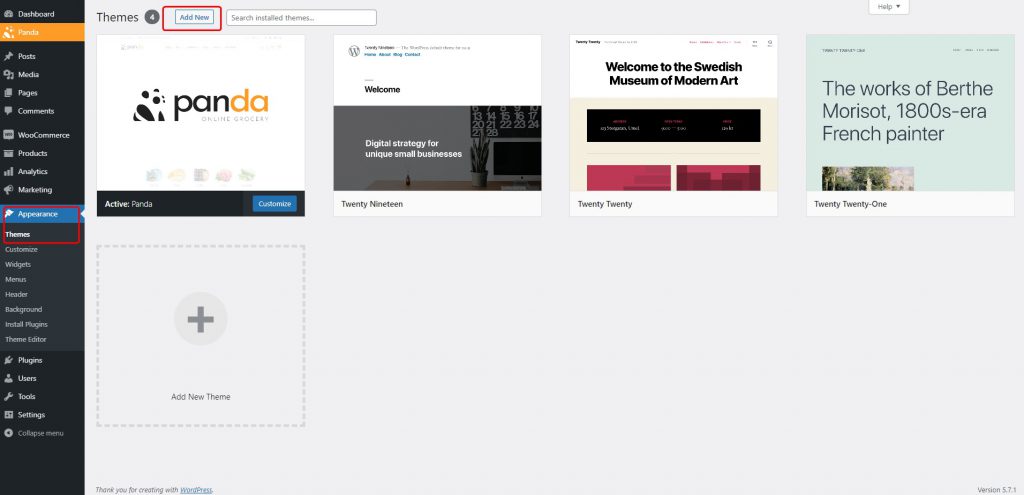
Step 3 – Click Add New button on the top of the page, then click Upload Theme button.

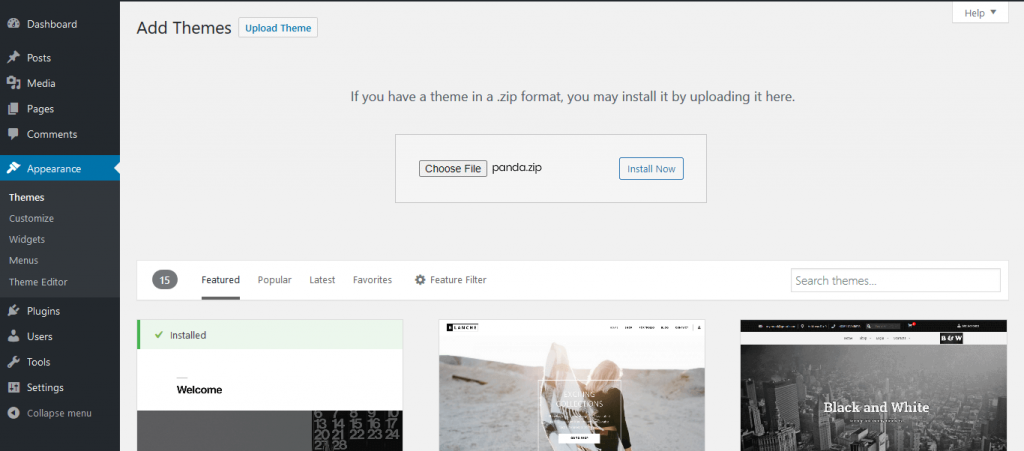
Step 4 – Browse panda.zip file from the package you downloaded from Themeforest and upload and install it.
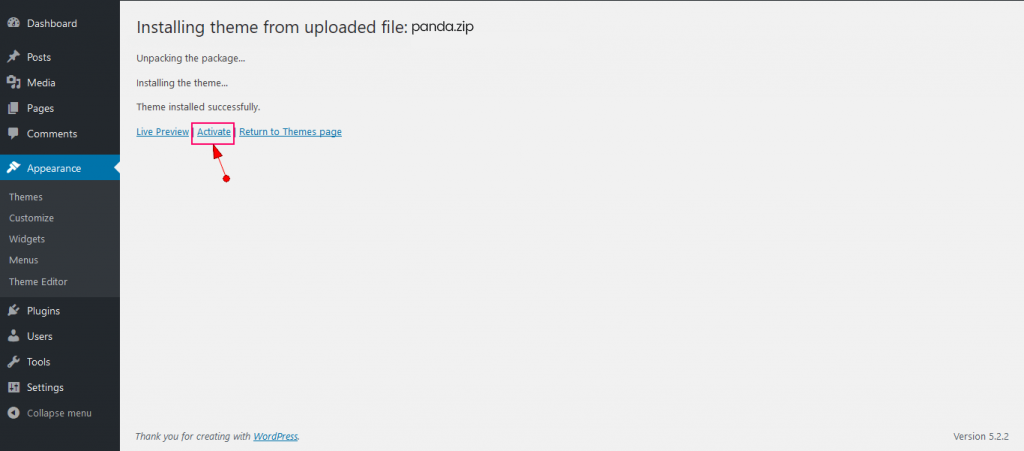
Step 5 – After install theme, navigate Appearance > Themes and activate PandaStore Theme.
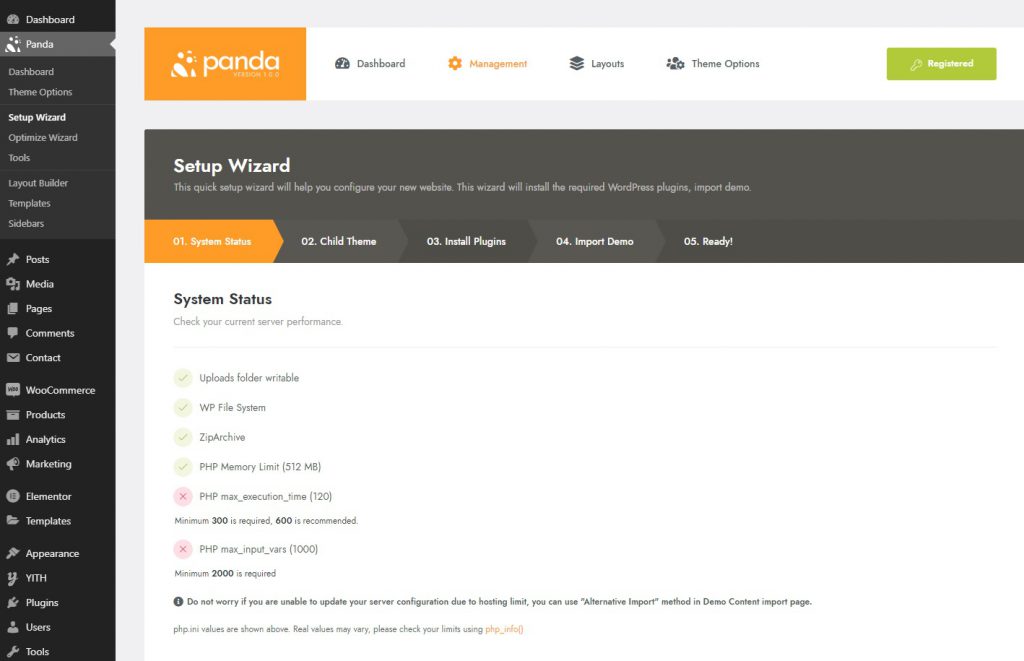
Step 6 – Once you have activated PandaStore, please follow the steps to setup your site content such as child theme, install plugins, import demo, etc
Related Posts

How to setup meta options using Layout Builder?
PandaStore layout builder allows you to customize some important options by using page layout's content options - instead of using meta box per each post or category. But some layouts such as global layout, home layout, page layout, blog layout or post detail layout do not have content…
(Read More) By
By
How to import a pre-built website?
PandaStore provides an advanced and easiest way to import pre-built demos. Friendly design and flexible working would make you feel that you are installing a system. Please go to the PandaStore > Setup Wizard page, and click Import Demo step. Select a demo to import There are two…
(Read More)
How to remove pre-built website content after import?
You could uninstall demo contents from your site. If you import different demos so many times, you could see some posts are overridden by new ones. In that case you need to uninstall imported demo contents before importing new demo. You could remove all contents from previously imported…
(Read More)
How to create a single product page using PandaStore Single Product Builder?
There are already 4 built-in single product layouts created by Single Product Layout Builder Horizontal: Default layout with horizontal media gallery.Full Width: Media gallery has full width.Gallery: Media gallery with no thumbnails.Sticky Info: Product info is positioned sticky.
(Read More)
How to set a sticky header in PandaStore Header Builder?
Elementor You can set Section or Inner Section as sticky top area as follows: Elementor Page Builder
(Read More)
How to show a popup on button clicks
In order to show popup on button clicks, you should add 'show-popup popup-id-{Popup ID}' class to your button. e.g. show-popup popup-id-725
(Read More)
How to install via FTP
Unzip the panda.zip file. You will be able to get it from the package you downloaded from Themeforest.Connect to your FTP server using FTP client and navigate folder where wordpress is installed.Navigate to the wp-content > themes and upload panda folder on it.Login in to wordress admin panel…
(Read More)
How to Update Plugins
How to update the Plugins Updating the other plugins not premium is simple as the other WordPress theme. You can update the other plugins using one click feature. Please navigate Updates section in admin area and you will be able to find which plugins can be updated. Simply…
(Read More)
How to Update PandaStore Theme
There are 3 ways to update PandaStore. The first method is PandaStore’s one click update and the 2nd method is Manual updates and the 3rd is to use Envato Market Wordpress Plugin. Note: Before UpdateAfter updating the theme, all of your contents such as pages, options, images and…
(Read More)
How to Download PandaStore Theme
You can download our PandaStore theme from Themeforest. In order to download PandaStore theme from Themeforest, you need to login your Themeforest account and go to your download page. When you download PandaStore, you have 2 options, one is All Files & Documentation and another one is Installable…
(Read More)