
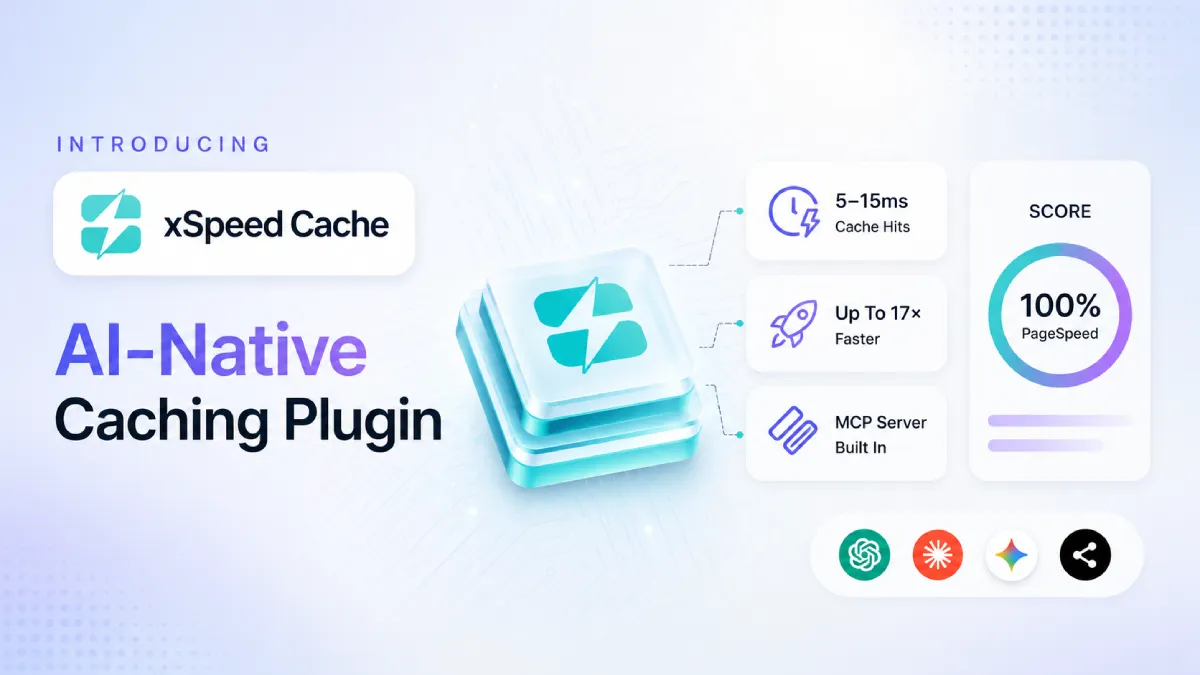
WordPress has spent years carrying a reputation for being slow. The truth is less dramatic: WordPress was never slow by nature. Most sites were simply missing a performance layer, and the people who could build one properly were expensive and hard to find. Speed, meanwhile, has quietly become one of the things visitors judge you on before they read a single word.
That’s the gap xSpeed Cache is built to close.
It’s a new all-in-one WordPress caching plugin, on command from the team at WPDeveloper, and its pitch is refreshingly bold: install it, ask your AI assistant to make your site fast, and watch the score climb to 100.
This post walks through what xSpeed Cache actually is, how it works, and why it’s worth a look the next time you’re weighing your caching options.
Why WordPress Speed Decides Whether Visitors Stay
Before getting into the plugin itself, it’s worth remembering why any of this matters. A page that loads quickly makes a stronger first impression, keeps more visitors from bouncing, and converts better — the same traffic reaches the same pages with less friction, and more people make it to the end. For stores and lead-generation sites, that difference shows up directly in revenue.
Search engines reward it too. Core Web Vitals turned speed into something measurable, and a fast, responsive site now competes better in results and feels better to use than a rival that treats performance as an afterthought. Caching is the single highest-leverage way to get there on WordPress, which is exactly the job xSpeed Cache is designed for.
What Is xSpeed Cache?
xSpeed Cache is a complete performance suite that lives inside one plugin. Instead of stitching together a caching plugin, an image lazy-loader, a database cleaner, an asset minifier, and a CDN helper (each with its own settings and its own chance of conflicting with the others), you get all of it in a single, unified dashboard with no overlap and no mystery slowdowns.
It comes from the team behind widely used tools like Essential Addons for Elementor, NotificationX, BetterDocs & more, so it arrives with a real track record rather than as an untested newcomer.
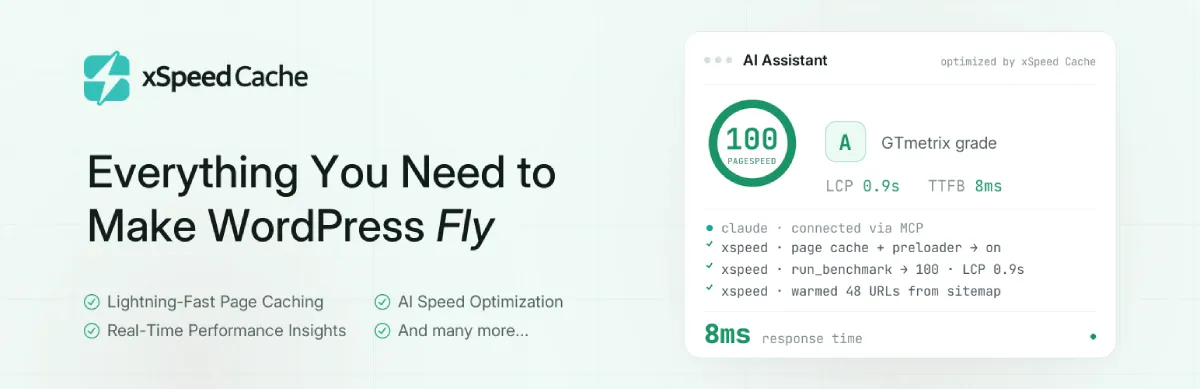
You can install the free plugin straight from WordPress.org, and a guided setup wizard gets you to a healthy, fast baseline in minutes — caching works fully before any advanced configuration is involved.
Served Before WordPress Even Loads
Most caching still routes requests through PHP and the WordPress core before handing back a saved copy of the page. xSpeed Cache takes a more aggressive approach: cached pages are delivered as static HTML files before PHP and WordPress start. No database queries, no plugin chain to walk through — just bytes on the wire.
The result is cache hits landing in the 5–15ms range, compared with the 200ms-plus that’s typical of PHP-served caching, and up to 17× faster delivery on cached pages.
For a visitor, that’s the difference between a page that appears instantly and one that makes them wait long enough to reconsider. You can read how the engine handles this in the page caching guide, which also covers auto-purging on publish, per-post rules, and a separate mobile cache.
Nine Optimization Engines, One Plugin
Page caching is the headline, but a fast site needs more than one lever. xSpeed Cache ships nine optimization engines in the free plugin, each with its own documentation:
- Page Caching — static HTML served before WordPress loads, with auto-purge on publish.
- Code Minification — minify and combine HTML, CSS, and JS, plus defer or delay JavaScript, with a safe-minify fallback that won’t break the page.
- GZIP Compression — shrinks every response before it leaves the server; auto-configures on Apache and LiteSpeed.
- Lazy Load — images, iframes, and videos load only as visitors scroll, with an automatic fix for the layout shift lazy-loading usually causes.
- Font Optimization — text renders instantly with font-display: swap and preloads for above-the-fold fonts.
- Browser Cache — returning visitors load from their own disk via proper Cache-Control and Expires headers.
- Object Cache — a Redis or Memcached memory layer for database-heavy sites.
- CDN & Cloudflare — serve assets from the nearest edge, with Cloudflare auto-purge and CDN URL rewriting.
- Database Cleanup — sweeps years of revisions, transients, and spam on a schedule.
You can see the whole toolkit on the features page. The point of bundling them is practical: one plugin replacing five means fewer conflicts, one dashboard to learn, and one team to hold accountable when something needs a fix.
Your AI Assistant Becomes Your Performance Engineer
This is where xSpeed Cache genuinely departs from the pack. Every install includes a built-in MCP server, which lets an AI assistant like Claude or ChatGPT talk directly to your site: benchmarking, changing settings, warming the cache, and re-testing on its own.
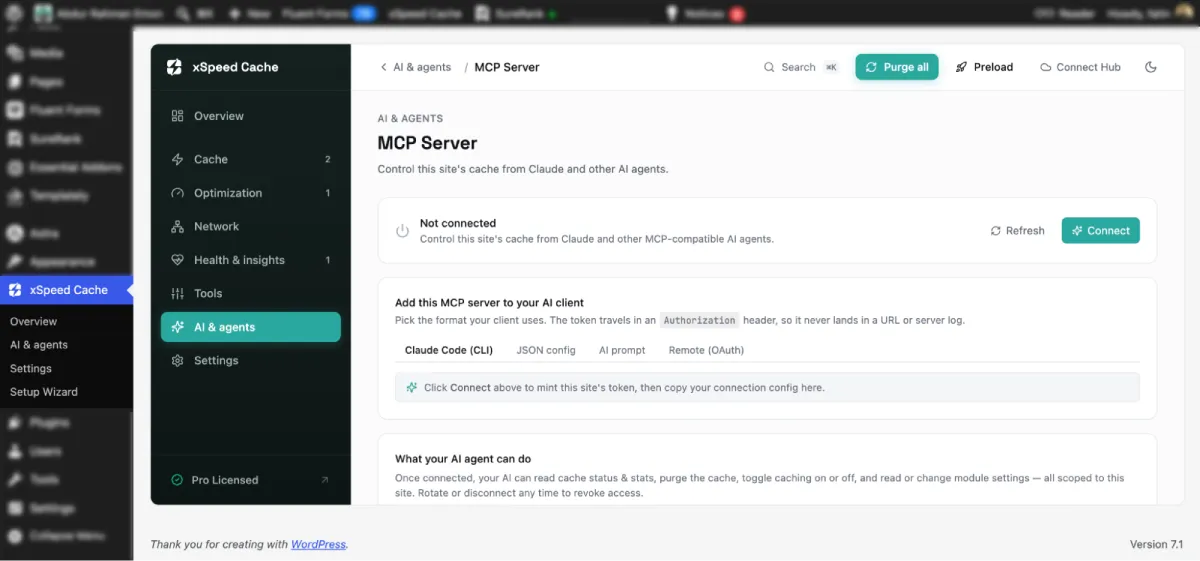
The workflow is short.
Install the plugin, connect your site to the free xSpeed Hub with one click, link your assistant once, and then you can simply say “get this site to 100 on PageSpeed.”
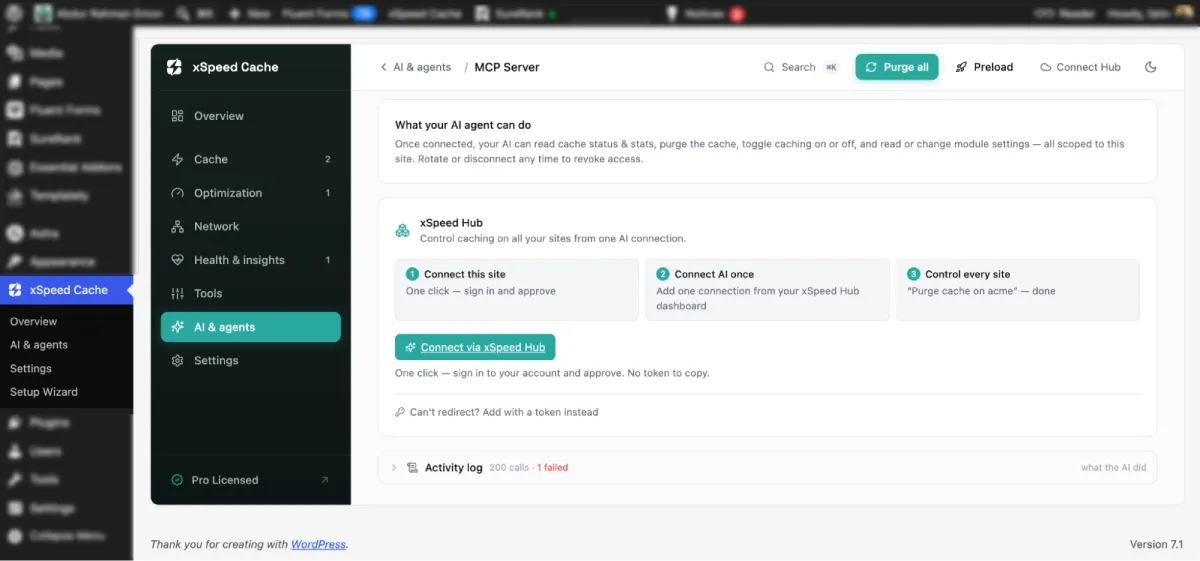
Your assistant runs a benchmark, minifies and defers scripts, toggles browser cache, preloads your top URLs, and runs the benchmark again, talking back and forth with the site until the number reads 100.
Every action is scoped and logged, so a read-only connection stays read-only, and you can see exactly what changed. If you’d rather flip switches yourself, the dashboard is always right there.
For anyone who has ever felt locked out of performance work because it seemed too technical, this is the part worth trying firsthand. The plugin does the engineering; you just describe the outcome you want.
See Where Your Site Stands [Free]
You don’t have to install anything to get a sense of the payoff. xSpeed Cache offers a free site scan. All you have to do is paste in any URL, no signup, and roughly 40 seconds later you get a graded 0–100 report across four dimensions.
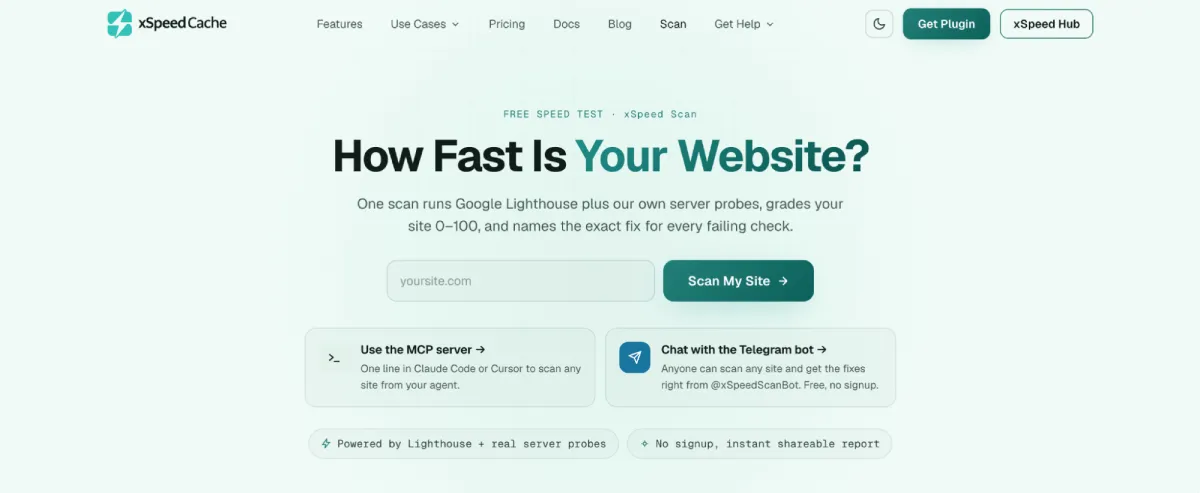
It’s built on real measurements rather than estimates: TTFB from live requests, Core Web Vitals from Lighthouse, and compression and cache behavior read straight off the wire. More usefully, every failing check names its fix, either the xSpeed feature that automates it or a copy-paste prompt your AI assistant can act on.
Reports keep their links and history too, so a before-and-after comparison is provable rather than anecdotal. It’s a low-commitment way to see whether your current setup is leaving speed on the table.
Free Forever, With a Pro Layer When You Need It
The free plugin isn’t a trial. Page, object, and browser caching, minification, GZIP, lazy load, database cleanup, the MCP server, and xSpeed Hub all ship at no cost, forever. For a lot of sites, that’s the whole job done.
The PRO version adds an intelligence layer that works even when you’re not asking. You just need to set up and approve the workflow. It watches real traffic around the clock, finds what would make the site faster, applies the fix, and re-tests to prove it worked, alongside AI recommendations with one-click fixes, self-healing cache, Critical CSS and unused-CSS removal, WebP/AVIF image conversion, and real-user monitoring.
Paid plans start at around $29/year (or a one-time payment for lifetime access) and scale by how many sites you run. And the good news is that a 50% OFF launch deal is going on right now on xSpeed Cache.
- Personal — from $29/yr (or $79 on LTD): one site.
- Business — from $49/yr (or $149 on LTD): up to 5 sites, with a multi-site dashboard and priority support.
- Agency — from $99/yr (or $249 on LTD): up to 25 sites, plus white-label branding and client management.
- Enterprise — from $199/yr (or $399 on LTD): unlimited sites, with guided onboarding and a custom SLA.
A 14-day money-back guarantee covers every paid plan, and you can see exactly what’s included in the free-vs-Pro breakdown.
Note: Check the pricing page for current numbers, since launch offers change.
How xSpeed Cache Compares to Other Caching Plugins
Every caching plugin promises a faster site. What actually separates them is where they draw the line between free and paid and whether they’ve kept up with how sites get optimized in 2026. On both counts, xSpeed Cache lands in unusual company.
The starkest gap is on the AI side. A built-in MCP server, an audit log of every action your assistant takes, and scoped read-only credentials are things almost no other caching plugin offers and the one premium competitor that comes close puts them behind its paywall.
Here’s how a handful of the standout features line up:
✅ Free — included at no cost
💰 Paid — paid tier only
🟠 Partial — limited
⚙️ Needs an extra service or server
❌ Not available
| Feature | xSpeed Cache | W3 Total Cache | WP Super Cache | LiteSpeed Cache | WP Rocket | WP Fastest Cache | Hummingbird | NitroPack | FlyingPress |
| MCP server (control via AI) | ✅ | ❌ | ❌ | ❌ | 💰 | ❌ | ❌ | ❌ | ❌ |
| Audit log of every AI action | ✅ | ❌ | ❌ | ❌ | 🟠 | ❌ | ❌ | ❌ | ❌ |
| Static serving that bypasses PHP | ✅ | ✅ | ✅ | ⚙️ | 💰 | ✅ | ✅ | ✅ | 💰 |
| Object caching (Redis / Memcached) | ✅ | ✅ | ❌ | ⚙️ | ❌ | ❌ | ❌ | ❌ | 💰 |
| Delay JavaScript until interaction | ✅ | 💰 | ❌ | ✅ | 💰 | 💰 | 💰 | ✅ | 💰 |
| Guided setup wizard | ✅ | ❌ | ❌ | ❌ | 💰 | ❌ | ❌ | ❌ | ❌ |
| Import from a competing plugin | ✅ | ❌ | ❌ | ❌ | ❌ | ❌ | ✅ | ❌ | ❌ |
| On-demand PageSpeed or GTmetrix test | ✅ | ❌ | ❌ | ❌ | ❌ | ❌ | ✅ | ❌ | ❌ |
Two things stand out the most along with everything…
First, the essentials most people pay for elsewhere are simply included here: WP Rocket has no free version at all, so features like static-file serving, delay-JavaScript, and its setup wizard all sit behind the price of entry, while xSpeed Cache ships them at no cost.
Second, switching is painless. xSpeed Cache can import settings from a competing plugin, offers a safe mode for testing, and lets you roll back if anything looks off, so trying it isn’t a one-way door.
These eight rows are only the highlights. The full breakdown compares dozens of capabilities across all nine plugins: from Critical CSS and image conversion to fleet dashboards, monitoring, and developer tooling, so you can check the exact features your site depends on.
👉 See the full xSpeed Cache comparison
Who xSpeed Cache Is For
Because the free tier is complete and the setup is guided, xSpeed Cache suits a wide range of WordPress sites, with tailored guidance for each:
- WooCommerce stores — static product pages with a live cart and checkout kept uncached out of the box.
- Agencies and freelancers — managing many client sites from a single dashboard.
- Blogs and publishers — keeping large archives warm so nothing goes stale.
- Elementor and other page-builder sites — the same design delivered at a fraction of the weight.
Ready to Make “Slow WordPress” a Myth?
Caching used to be a chore you handed to a specialist or muddled through with a stack of overlapping plugins. xSpeed Cache reframes it as something closer to a conversation: install a single WordPress caching plugin, let it serve your pages before WordPress even wakes up, and lean on your AI assistant to push the score the rest of the way.
Whether you take the fully free route or add the Pro intelligence layer later, the barrier to a genuinely fast site is lower than it’s been in a long time. The most honest first step is to scan your site and see where you actually stand — then decide how far you want to take it. If “WordPress is slow” was ever true for your site, this is a good moment to make it a myth.
FAQs (Frequently Asked Questions)
Is xSpeed Cache really free?
Yes — and it’s a complete toolkit, not a time-limited trial. Page, object, and browser caching, minification, GZIP, lazy load, database cleanup, the MCP server, and xSpeed Hub are all included at no cost, permanently. Pro is optional and adds an automated intelligence layer, starting from around $29/year.
Do I need to be technical to use it?
No. A guided setup wizard gets you to a fast, healthy baseline in minutes, and the built-in AI connection means you can improve your site just by asking your assistant to do it. If you’d rather configure things by hand, the full dashboard is always available — the AI layer is an option, not a requirement.
Is the AI assistant required?
Not at all. The MCP server and xSpeed Hub are there if you want your assistant to handle the tuning, but every setting can be managed manually. Think of the AI as a shortcut for anyone who’d rather describe the outcome than adjust each control.
Is it safe to let AI make changes to my site?
Yes. Every action the assistant takes is scoped and logged, so a read-only connection stays read-only, and you can see exactly what was changed and when. You stay in control the whole way through.
Will it work with WooCommerce?
Yes. Product pages are served as static files for speed, while the cart and checkout are kept uncached out of the box — so shoppers always see live, accurate pages. It’s also built to handle page-builder sites, blogs, membership/LMS sites, and multi-site agency setups.
How is xSpeed Cache different from WP Rocket?
The biggest difference is what you get for free. WP Rocket has no free version at all, so its static serving, delay-JavaScript, and setup wizard sit behind a license — all of which xSpeed Cache includes at no cost. On top of that, xSpeed adds free Redis/Memcached object caching and a built-in MCP server for AI-driven optimization, which most caching plugins don’t offer.
Does it support Cloudflare, Redis, or a CDN?
Yes. xSpeed Cache includes Cloudflare integration with auto-purge, a CDN option to serve assets from the nearest edge, and object caching via Redis or Memcached for database-heavy sites — all from the same dashboard.
What if a setting breaks something on my site?
xSpeed Cache is built to make changes low-risk. Minification uses a safe fallback so pages don’t break, there’s a safe mode for testing, and you can roll back if anything looks off. Switching from another plugin is painless too, since it can import your existing settings.
Can I manage more than one site?
Yes. Through xSpeed Hub you can connect and manage multiple sites from a single screen — and drive AI optimization across your whole portfolio. Agency plans add white-label branding and cover up to 25 sites, with an unlimited-site Enterprise tier.